Free tool · For venues
Describe the night once — date, budget, genres, what kit you provide — and gig-ready artists apply to you through GigXchange, full profiles attached. Free with every venue and promoter profile.
Updated 14 November 2026
GIGXCHANGE Post a Gig is a free listing tool for UK venues and promoters: describe the slot once and gig-ready artists apply to you. Set the date, times, a budget range, the genres you want and what kit you provide. Artists on GigXchange see the listing in their gig board, their Explore searches and the recommendations of acts whose genres match your tags. Each application arrives with the act’s full profile and a message thread; accept one and the booking is created for you. Listings are unlimited, with no listing fees and no per-application charges.
The worked example below is a finished listing as an artist sees it, annotated: what you fill in that decides who applies.
| 03Walk the listingThe real app, screen by screen | |
| 04How it worksThe steps, start to finish | |
| 05Worked exampleA finished listing, annotated | |
| 06Everything in the listingEverything the tool does | |
| 08What makes a gig listing that good acts answerThe background, in plain English | |
| 09Venues already on GigXchangeReal venues already on GigXchange | |
| 10More free tools for venuesThe other free tools | |
| 11Frequently asked questionsCost, budgets, who sees it |
The real Post a Gig in the GigXchange app, step by step - from an empty slot to applications you can book in one tap.
An empty slot usually means a round of messages, half-answered DMs and acts who turn out to be busy that night. Post a Gig turns the slot into a listing instead: you describe the night once, and artists who are free and fit it apply to you with their full profile attached.
Below is the real thing, screen by screen, in the GigXchange venue dashboard - five short steps from the listing type to the options, and what happens when the first application lands.
- 01 / 04 A new listing
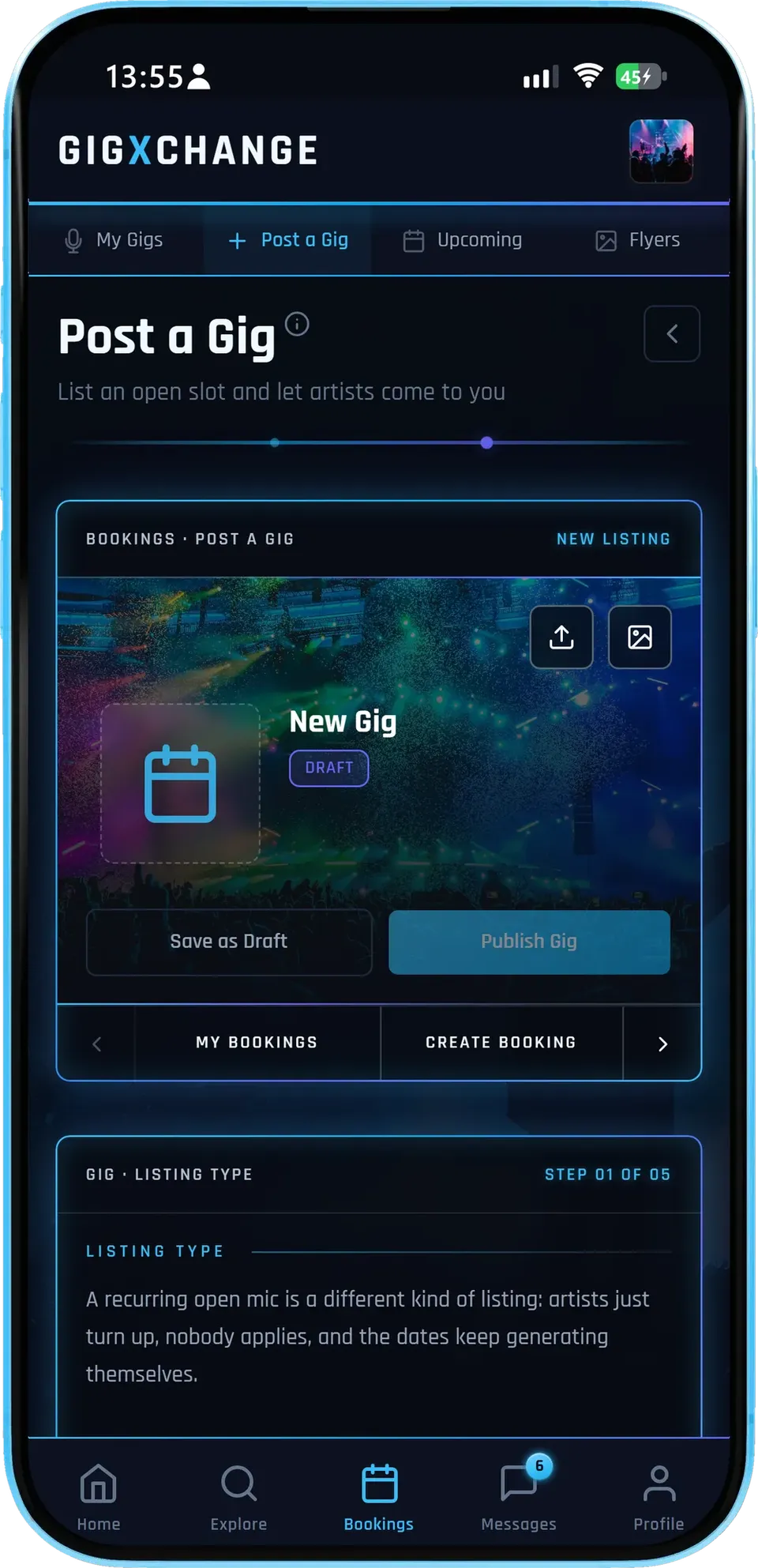
Start a listing, save it as a draft while you fill it in, and publish when it is ready.
- Five short stepsListing type, the night, the sound, budget and kit, then options.
- DraftsSave as you go and publish when you are happy.
- Gig or open micA recurring open mic is its own listing type - artists just turn up.
Save it as a draft on your gig board while you fill it in, or publish straight away - either way the details are yours to edit later.
- 02 / 04 The night
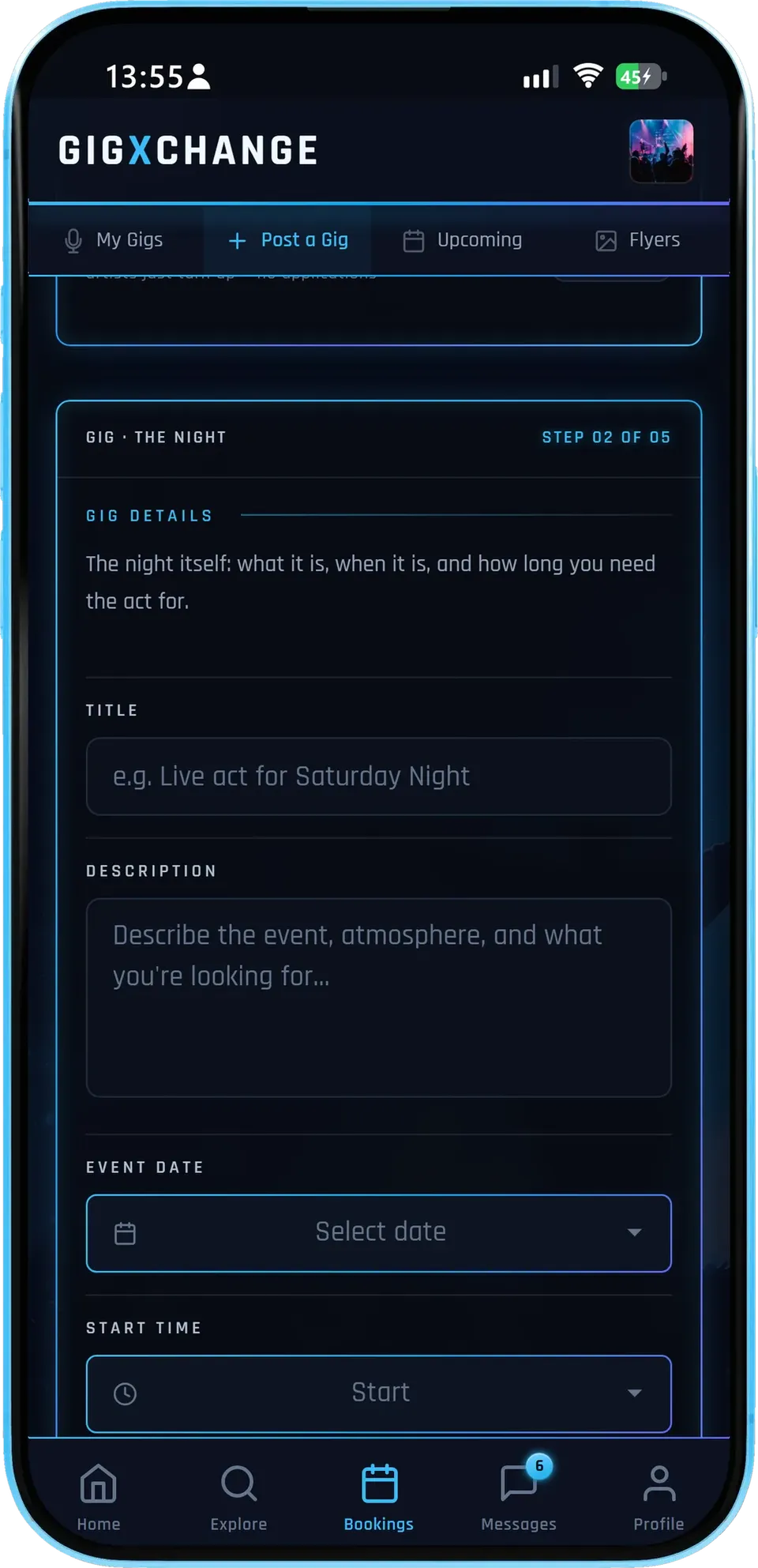
A title, a description of the night and the crowd, the date and times, whether it repeats, and the set length you need.
- Say what the night isThe description is what artists read before they apply.
- RepeatsA weekly or monthly night posts every date for you, up to three months ahead.
- Set lengthTwo hours or two 45s - artists know before they apply.
The clearer the night, the better the applications: artists decide from the description, the date and the set length whether they fit.
- 03 / 04 Budget and kit
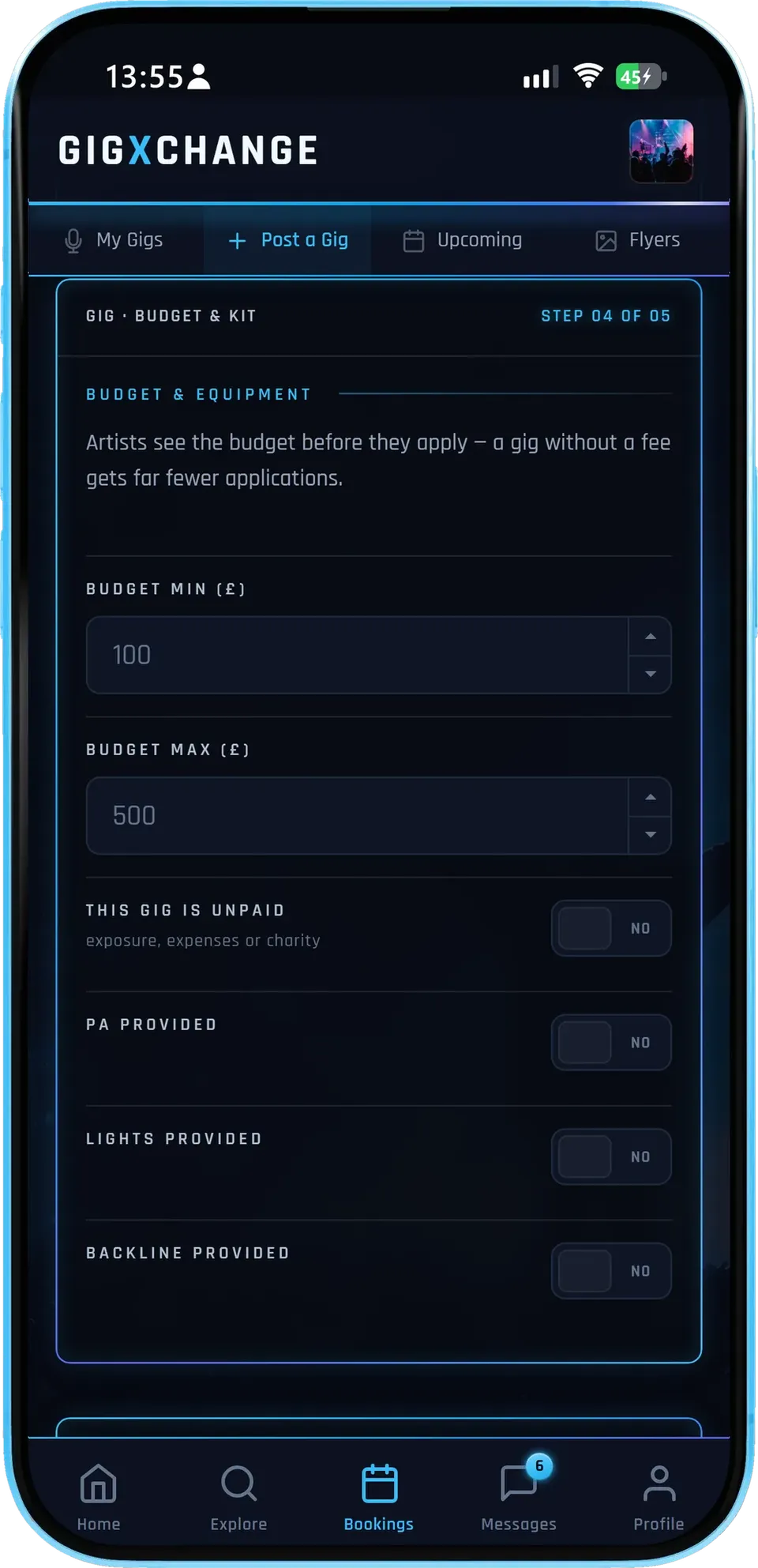
A budget range, and whether you provide a PA, lights or backline - the questions every act asks first.
- A budget rangeA gig without a fee gets fewer applications.
- Your kitPA, lights and backline, each a yes or no.
- Unpaid, said plainlyExposure, expenses or charity nights are marked as such.
Artists see the budget before they apply, so a realistic range brings in serious applications rather than a stream of questions about the fee.
- 04 / 04 One tap to book
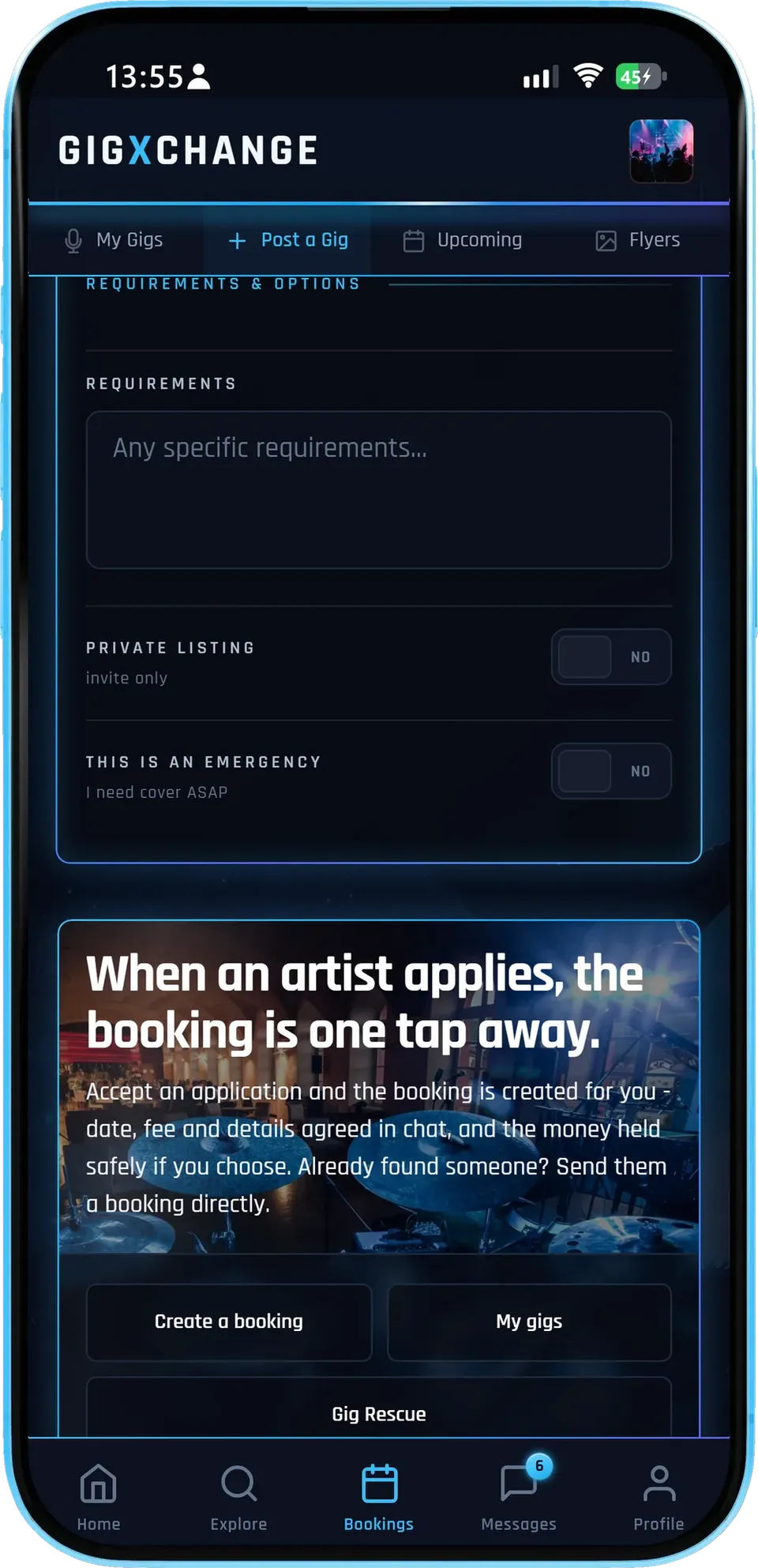
Private listings and an urgent flag sit in the options, and when an artist applies, accepting creates the booking for you.
- Private or openInvite-only listings for the acts you choose.
- UrgentFlag it urgent, then a GX Gig Rescue call-out invites up to 25 acts free that night.
- Booked in a tapDate, fee and details agreed in chat, the money held safely if you choose.
Accept an application and the booking is created for you, with the terms agreed in the chat. Already found someone? Send them a booking directly, or use Gig Rescue if an act drops out.
- 01 / 04
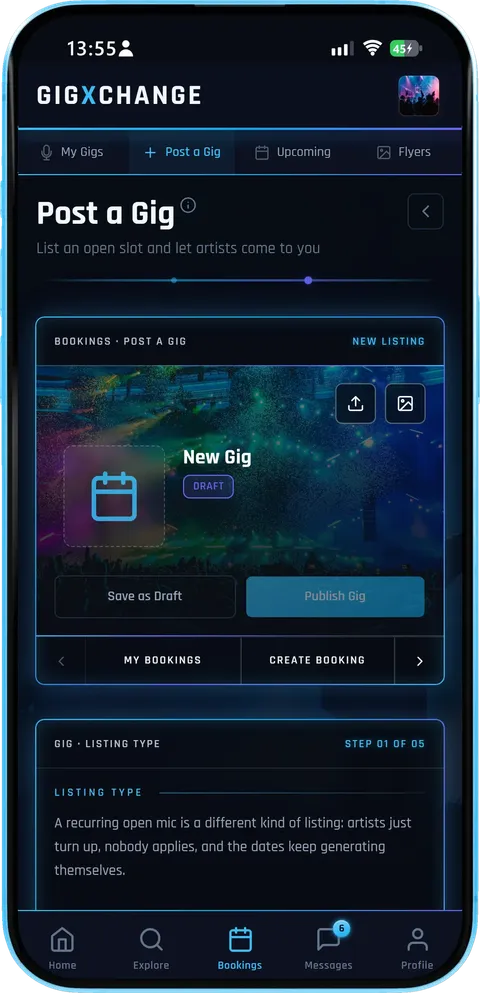 A new listing
Start a listing, save it as a draft while you fill it in, and publish when it is ready.
- Five short stepsListing type, the night, the sound, budget and kit, then options.
- DraftsSave as you go and publish when you are happy.
- Gig or open micA recurring open mic is its own listing type - artists just turn up.
Save it as a draft on your gig board while you fill it in, or publish straight away - either way the details are yours to edit later.
- 02 / 04
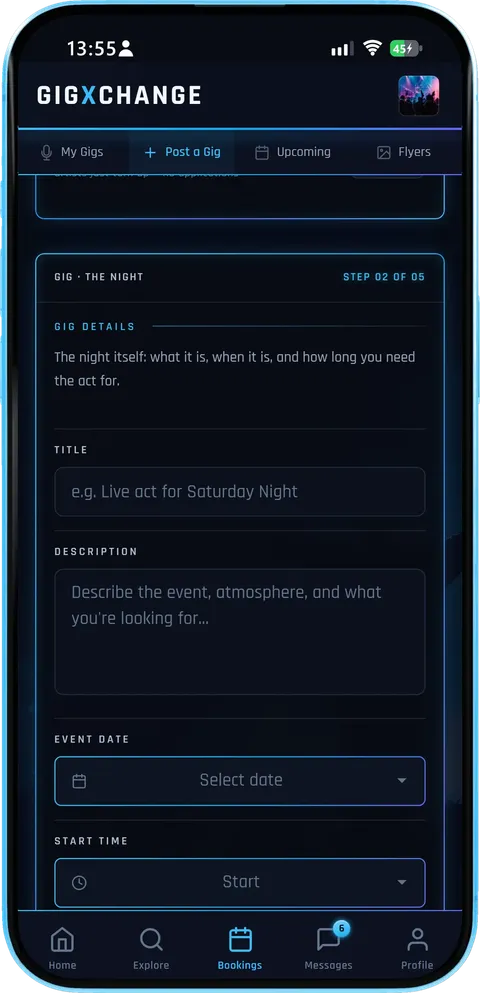 The night
A title, a description of the night and the crowd, the date and times, whether it repeats, and the set length you need.
- Say what the night isThe description is what artists read before they apply.
- RepeatsA weekly or monthly night posts every date for you, up to three months ahead.
- Set lengthTwo hours or two 45s - artists know before they apply.
The clearer the night, the better the applications: artists decide from the description, the date and the set length whether they fit.
- 03 / 04
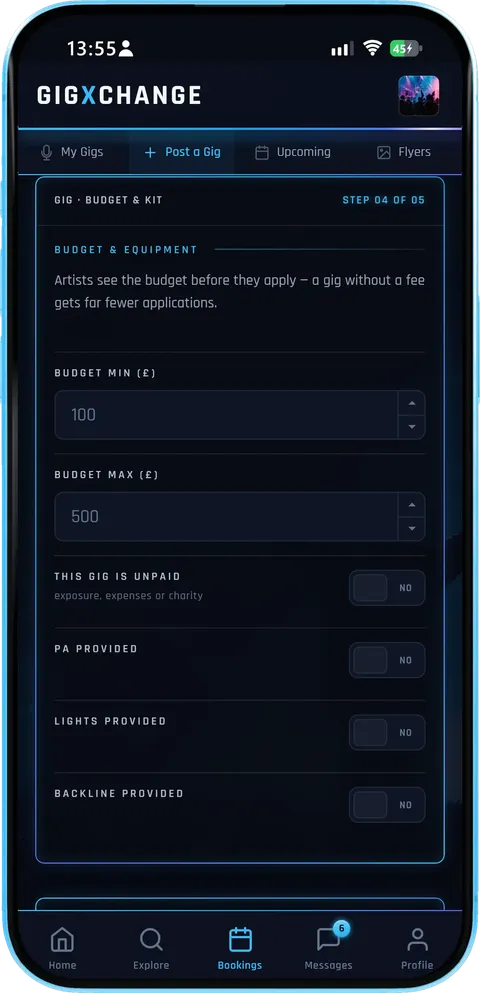 Budget and kit
A budget range, and whether you provide a PA, lights or backline - the questions every act asks first.
- A budget rangeA gig without a fee gets fewer applications.
- Your kitPA, lights and backline, each a yes or no.
- Unpaid, said plainlyExposure, expenses or charity nights are marked as such.
Artists see the budget before they apply, so a realistic range brings in serious applications rather than a stream of questions about the fee.
- 04 / 04
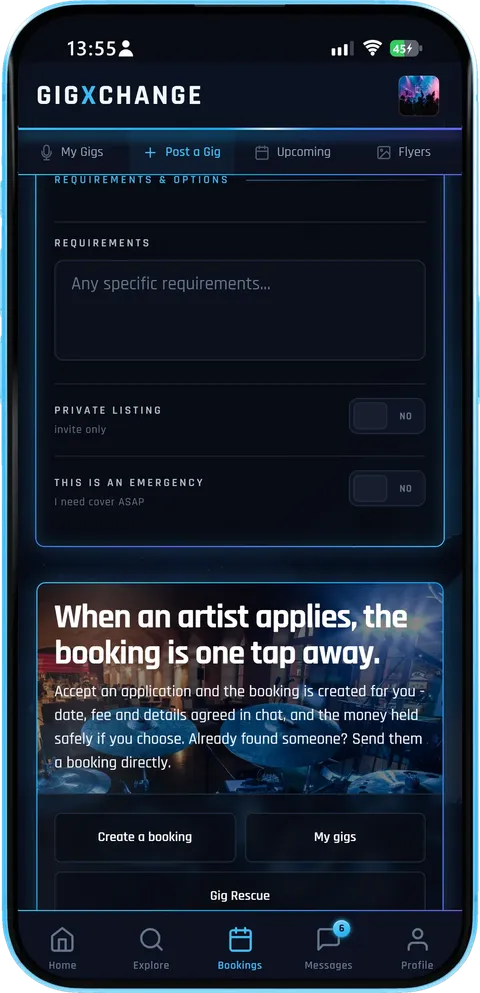 One tap to book
Private listings and an urgent flag sit in the options, and when an artist applies, accepting creates the booking for you.
- Private or openInvite-only listings for the acts you choose.
- UrgentFlag it urgent, then a GX Gig Rescue call-out invites up to 25 acts free that night.
- Booked in a tapDate, fee and details agreed in chat, the money held safely if you choose.
Accept an application and the booking is created for you, with the terms agreed in the chat. Already found someone? Send them a booking directly, or use Gig Rescue if an act drops out.
Post a Gig takes you from an open date to a booked act in four short steps, and the artists come to you: describe the slot once, receive applications, compare the acts and book the one that fits.
| 01 | DescribeOne form, two minutesDate, times, budget range, genres, house kit. A live preview shows the exact card artists will see; save as draft or publish. |
| 02 | SurfaceThe right acts find itYour genre tags route the listing into matching artists' gig boards and searches — no boosting, no pay-to-rank. |
| 03 | ReviewApplications with receiptsEvery application carries the act's full profile — music, videos, verified reviews, rates — and opens a message thread for terms. |
| 04 | BookAccept and it's handledAccepting flows into the booking rails: auto-generated contract, deposit terms, protected payment. The board marks the slot filled. |
An example listing as an artist sees it in the app, annotated: the apply button, the budget, the genre tags and the kit you provide.
Friday Night Live — Main Room
- Date
- Fri, 4 Dec 2026
- Time
- 21:00 – 23:00
- Set length
- 2 × 45 mins
- Where
- Leeds
High-energy covers or originals for our 200-cap main room. Full backline in-house, 2 × 45 sets, sound engineer on the night.
An example listing, as an artist sees it in the app. Yours goes live in about two minutes.
Post your first gigEverything in the listing is built for programmers with more nights to fill than hours to fill them: the date, fee, set length and style are written once, and every application arrives with the act’s profile attached.
| The briefOne form, two minutesTitle, date, times, set length, budget range, requirements — the whole listing is one page, with a live preview of the card artists will see. |
| Cover artA listing that looks like a gigPick a cover from the library or upload your own — position and zoom it right on the form. Listings with covers pull more applications. |
| GenresTagged to the right actsTag the genres you want and the listing surfaces to matching artists — with a popularity heat showing which tags are hot right now. |
| House kitSay what you providePA, lights, backline — one toggle each. Acts know before applying whether to bring the van or just the guitars. |
| ApplicationsApplications, not email chainsArtists apply through the platform: each application lands in your queue with the act’s full profile, and the conversation carries on in Messages. |
| EmergencyThe emergency switchDropout? Flag the gig as urgent, then send a GX Gig Rescue call-out — up to 25 acts free that night are invited at once, the fastest route from empty slot to filled stage. |
| ManageA board, not a spreadsheetEvery listing on one board — open, draft, filled, closed — with application counts and your average budget at a glance. Edit or re-open any time. |
| Booked inFrom application to contractAccept an application and the booking flows straight into contracts, deposits and protected payment — no separate paperwork step. |
Minutes to post2
Describe the night once. Date, budget, genres and what kit you provide — the listing is live in about two minutes
Genre tags so the right acts self-select
A budget range that filters out mismatches
House-kit toggles: PA, backline, lighting
Live preview of what artists will see
The band preview is the real form
| How it works | |
| Find an artist instead | |
| Find out more | |
| Create a free venue profile |
Applications inFull
Artists apply to you, profiles attached. Gig-ready acts apply with full profiles — music, photos, verified reviews and past gigs
No more judging an act from one blurry photo
Verified reviews from other venues attached
Message applicants without leaving the platform
Book the one you want in a click
Every booking carries a contract and payment protection
| How it works | |
| Browse UK artists | |
| Find out more | |
| Create a free venue profile |
Urgent broadcast25
Short notice? Push it out. Mark a listing urgent, then send a GX Gig Rescue call-out - it invites up to 25 acts free that night
Availability comes from real calendars
Last-minute specialists surface first
Venues have it on by default; promoters switch it on
No agency, no finder fee, 5% only on protected payments
| How it works | |
| GX Gig Rescue | |
| Find out more | |
| Create a free venue profile |
Listing fees£0
Free — the marketplace pays for it. Post as many slots as you like — no listing fees; 5% on top only when you pay through GigXchange – 0% when you settle privately
UK booking agencies typically charge 15–20% commission, some up to 25%
No subscriptions and no trial limits
GigXchange earns from its booking marketplace
Part of the full free venue toolkit
| All free tools | |
| For venues | |
| Find out more | |
| Create a free venue profile |
Get startedFree
Built into every venue profile. Sign up free, post the slot, pick from the applications
Sign up in about 30 seconds — no card
Promoters get it too, not just venues
Lives beside Gig Rescue and your programme
Free on iPhone, Android or any browser
| How it works | |
| All free tools | |
| Find out more | |
| Create a free venue profile |
A gig listing that good acts answer is a pitch too. These are the habits that pull applications worth having: a clear fee, the set length and times, the kind of music the room wants and an honest picture of the night.
A budget beats "negotiable" every time
Serious acts triage listings the way you triage applications, and the first filter is money. A listing with a real bracket — even a wide one — signals a real booking; "fee negotiable" signals an evening of haggling and gets skipped by exactly the professional acts you want. Price the bracket against the UK Gig Rate Calculator and you'll be within the market's expectations before the first application arrives.
Say what's in the room
Half of every advance email chain is kit: is there a PA, are there lights, whose drums are they. The listing settles it up front with one toggle each for PA, lights and backline — so a self-contained function band and a backline-dependent trio both know instantly whether your night works for them. Fewer dead-end applications on your side, no wasted van packing on theirs.
Genre tags are routing, not decoration
Your tags decide whose gig board the listing lands on. Tag the two or three genres you genuinely book — the tag heat on the form shows what's currently in demand — and the applications arrive pre-filtered. Tag everything and you'll drown in near-misses.
Applications you can actually judge
A cold email tells you what an act says about themselves; a GigXchange application shows you what they've done — verified reviews from real bookings, music and videos in the profile, their rate card against your budget. The judging takes minutes because the evidence is attached. And because accepting one flows straight into a contract with deposit terms and protected payment, "yes" is the end of the admin, not the start.
Keep the board honest
Listings live on your gig board with open, draft, filled and closed states and an application count on every card. Fill a slot, mark it filled — acts stop applying, and your open listings keep their pull. When a dropout burns a date, flag the listing urgent and send a GX Gig Rescue call-out: it invites up to 25 acts who are free that night. For the wider venue playbook, see GigXchange for venues.
Any of these venues can list an open slot in minutes, and artists see the venue’s own profile beside the listing before they apply, so the applications come from acts that know what the room is like.
Posting a slot is one way to fill a date. When an act drops out, Gig Rescue invites available acts urgently; Find an Artist sends ranked booking invites; and the licensing, compliance and Martyn's Law checkers cover the legal side.
| For venuesGX Gig RescueAct dropped out? Broadcast an urgent booking invite to up to 25 available acts — first to accept is booked. | |
| For venuesLicensing CheckerTen questions decode your venue’s music licensing — permission, copyright and cost, with official sources. | |
| For venuesCompliance ChecklistEight questions build your venue’s compliance board — law first, ten areas, every item linked to its official source. | |
| For venuesMartyn's Law ReadinessThe 2025 Act reaches every 200+ venue from ~2027 — six questions give your tier, your duties and a first-draft procedures PDF. | |
| For venuesEvents PosterYour upcoming programme as a live what’s-on page in seven looks — status badges, ticket links and an embed for your own website. | |
| For venuesFind an ArtistPick the empty date, set a 60-second brief, and invite up to 5 ranked best-fit acts with real booking invites. |
Before a first listing goes live, venues and promoters ask who sees it, what budget range to set, what happens when an artist applies, whether a listing can be edited or closed later, and what to do when the date is urgent.
| Gig rate calculator | |
| Booking contracts | |
| Outreach templates | |
| All free tools |
| Create a free venue profile | |
| How it works |
Posting the slot before you leave the office takes three steps: sign up free, describe the night once, and pick from applications that arrive with the evidence attached, from music to reviews and fees.

Post a gig: Empty slot in, applications out
Describe the night once — date, budget, genres, what kit you provide — and gig-ready artists apply to you through GigXchange, full profiles attached. Free with every venue and promoter profile.



Last updated: 14 November 2026
Need an act for a date? Post the gig
GIGXCHANGE Post a Gig is a free listing tool for UK venues and promoters: describe the slot once and gig-ready artists apply to you. Set the date, times, a budget range, the genres you want and what kit you provide. Artists on GigXchange see the listing in their gig board, their Explore searches and the recommendations of acts whose genres match your tags. Each application arrives with the act’s full profile and a message thread; accept one and the booking is created for you. Listings are unlimited, with no listing fees and no per-application charges.
The worked example below is a finished listing as an artist sees it, annotated: what you fill in that decides who applies.
Walk the listing
The real Post a Gig in the GigXchange app, step by step - from an empty slot to applications you can book in one tap.
An empty slot usually means a round of messages, half-answered DMs and acts who turn out to be busy that night. Post a Gig turns the slot into a listing instead: you describe the night once, and artists who are free and fit it apply to you with their full profile attached.
Below is the real thing, screen by screen, in the GigXchange venue dashboard - five short steps from the listing type to the options, and what happens when the first application lands.
- 01 / 04
A new listing
Start a listing, save it as a draft while you fill it in, and publish when it is ready.
- Five short stepsListing type, the night, the sound, budget and kit, then options.
- DraftsSave as you go and publish when you are happy.
- Gig or open micA recurring open mic is its own listing type - artists just turn up.
Save it as a draft on your gig board while you fill it in, or publish straight away - either way the details are yours to edit later.
- 02 / 04
The night
A title, a description of the night and the crowd, the date and times, whether it repeats, and the set length you need.
- Say what the night isThe description is what artists read before they apply.
- RepeatsA weekly or monthly night posts every date for you, up to three months ahead.
- Set lengthTwo hours or two 45s - artists know before they apply.
The clearer the night, the better the applications: artists decide from the description, the date and the set length whether they fit.
- 03 / 04
Budget and kit
A budget range, and whether you provide a PA, lights or backline - the questions every act asks first.
- A budget rangeA gig without a fee gets fewer applications.
- Your kitPA, lights and backline, each a yes or no.
- Unpaid, said plainlyExposure, expenses or charity nights are marked as such.
Artists see the budget before they apply, so a realistic range brings in serious applications rather than a stream of questions about the fee.
- 04 / 04
One tap to book
Private listings and an urgent flag sit in the options, and when an artist applies, accepting creates the booking for you.
- Private or openInvite-only listings for the acts you choose.
- UrgentFlag it urgent, then a GX Gig Rescue call-out invites up to 25 acts free that night.
- Booked in a tapDate, fee and details agreed in chat, the money held safely if you choose.
Accept an application and the booking is created for you, with the terms agreed in the chat. Already found someone? Send them a booking directly, or use Gig Rescue if an act drops out.
- 01 / 04
A new listing
Start a listing, save it as a draft while you fill it in, and publish when it is ready.
- Five short stepsListing type, the night, the sound, budget and kit, then options.
- DraftsSave as you go and publish when you are happy.
- Gig or open micA recurring open mic is its own listing type - artists just turn up.
Save it as a draft on your gig board while you fill it in, or publish straight away - either way the details are yours to edit later.
- 02 / 04
The night
A title, a description of the night and the crowd, the date and times, whether it repeats, and the set length you need.
- Say what the night isThe description is what artists read before they apply.
- RepeatsA weekly or monthly night posts every date for you, up to three months ahead.
- Set lengthTwo hours or two 45s - artists know before they apply.
The clearer the night, the better the applications: artists decide from the description, the date and the set length whether they fit.
- 03 / 04
Budget and kit
A budget range, and whether you provide a PA, lights or backline - the questions every act asks first.
- A budget rangeA gig without a fee gets fewer applications.
- Your kitPA, lights and backline, each a yes or no.
- Unpaid, said plainlyExposure, expenses or charity nights are marked as such.
Artists see the budget before they apply, so a realistic range brings in serious applications rather than a stream of questions about the fee.
- 04 / 04
One tap to book
Private listings and an urgent flag sit in the options, and when an artist applies, accepting creates the booking for you.
- Private or openInvite-only listings for the acts you choose.
- UrgentFlag it urgent, then a GX Gig Rescue call-out invites up to 25 acts free that night.
- Booked in a tapDate, fee and details agreed in chat, the money held safely if you choose.
Accept an application and the booking is created for you, with the terms agreed in the chat. Already found someone? Send them a booking directly, or use Gig Rescue if an act drops out.
How it works
Post a Gig takes you from an open date to a booked act in four short steps, and the artists come to you: describe the slot once, receive applications, compare the acts and book the one that fits.
One form, two minutes
Date, times, budget range, genres, house kit. A live preview shows the exact card artists will see; save as draft or publish.
The right acts find it
Your genre tags route the listing into matching artists' gig boards and searches — no boosting, no pay-to-rank.
Applications with receipts
Every application carries the act's full profile — music, videos, verified reviews, rates — and opens a message thread for terms.
Accept and it's handled
Accepting flows into the booking rails: auto-generated contract, deposit terms, protected payment. The board marks the slot filled.
Worked example
An example listing as an artist sees it in the app, annotated: the apply button, the budget, the genre tags and the kit you provide.
Friday Night Live — Main Room
- Date
- Fri, 4 Dec 2026
- Time
- 21:00 – 23:00
- Set length
- 2 × 45 mins
- Where
- Leeds
High-energy covers or originals for our 200-cap main room. Full backline in-house, 2 × 45 sets, sound engineer on the night.
An example listing, as an artist sees it in the app. Yours goes live in about two minutes.
Post your first gigEverything in the listing
Everything in the listing is built for programmers with more nights to fill than hours to fill them: the date, fee, set length and style are written once, and every application arrives with the act’s profile attached.
One form, two minutes
Title, date, times, set length, budget range, requirements — the whole listing is one page, with a live preview of the card artists will see.
A listing that looks like a gig
Pick a cover from the library or upload your own — position and zoom it right on the form. Listings with covers pull more applications.
Tagged to the right acts
Tag the genres you want and the listing surfaces to matching artists — with a popularity heat showing which tags are hot right now.
Say what you provide
PA, lights, backline — one toggle each. Acts know before applying whether to bring the van or just the guitars.
Applications, not email chains
Artists apply through the platform: each application lands in your queue with the act’s full profile, and the conversation carries on in Messages.
The emergency switch
Dropout? Flag the gig as urgent, then send a GX Gig Rescue call-out — up to 25 acts free that night are invited at once, the fastest route from empty slot to filled stage.
A board, not a spreadsheet
Every listing on one board — open, draft, filled, closed — with application counts and your average budget at a glance. Edit or re-open any time.
From application to contract
Accept an application and the booking flows straight into contracts, deposits and protected payment — no separate paperwork step.
What makes a gig listing that good acts answer
A gig listing that good acts answer is a pitch too. These are the habits that pull applications worth having: a clear fee, the set length and times, the kind of music the room wants and an honest picture of the night.
A budget beats "negotiable" every time
Serious acts triage listings the way you triage applications, and the first filter is money. A listing with a real bracket — even a wide one — signals a real booking; "fee negotiable" signals an evening of haggling and gets skipped by exactly the professional acts you want. Price the bracket against the UK Gig Rate Calculator and you'll be within the market's expectations before the first application arrives.
Say what's in the room
Half of every advance email chain is kit: is there a PA, are there lights, whose drums are they. The listing settles it up front with one toggle each for PA, lights and backline — so a self-contained function band and a backline-dependent trio both know instantly whether your night works for them. Fewer dead-end applications on your side, no wasted van packing on theirs.
Genre tags are routing, not decoration
Your tags decide whose gig board the listing lands on. Tag the two or three genres you genuinely book — the tag heat on the form shows what's currently in demand — and the applications arrive pre-filtered. Tag everything and you'll drown in near-misses.
Applications you can actually judge
A cold email tells you what an act says about themselves; a GigXchange application shows you what they've done — verified reviews from real bookings, music and videos in the profile, their rate card against your budget. The judging takes minutes because the evidence is attached. And because accepting one flows straight into a contract with deposit terms and protected payment, "yes" is the end of the admin, not the start.
Keep the board honest
Listings live on your gig board with open, draft, filled and closed states and an application count on every card. Fill a slot, mark it filled — acts stop applying, and your open listings keep their pull. When a dropout burns a date, flag the listing urgent and send a GX Gig Rescue call-out: it invites up to 25 acts who are free that night. For the wider venue playbook, see GigXchange for venues.
Venues already on GigXchange
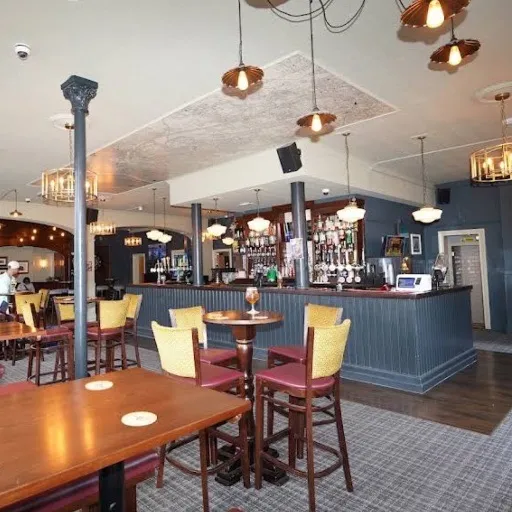
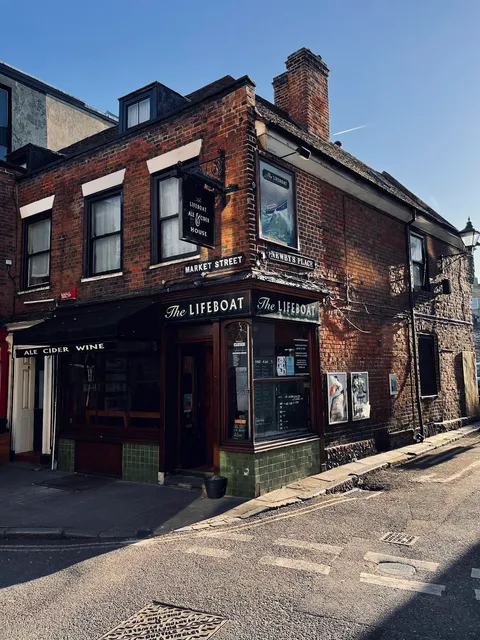
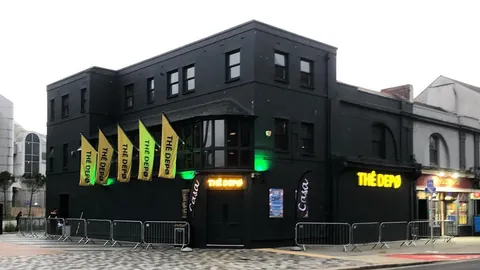
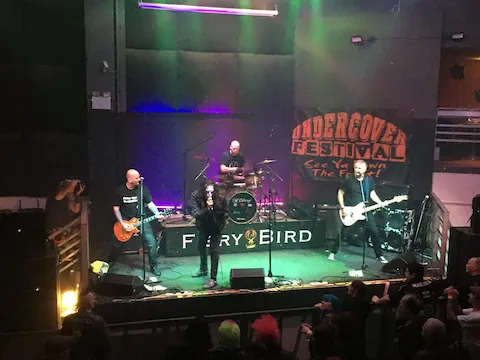
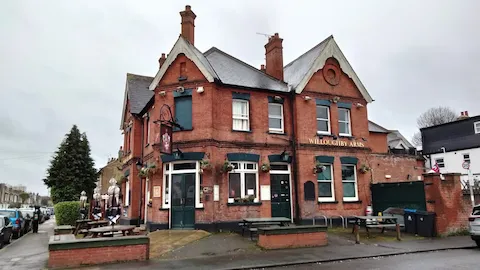
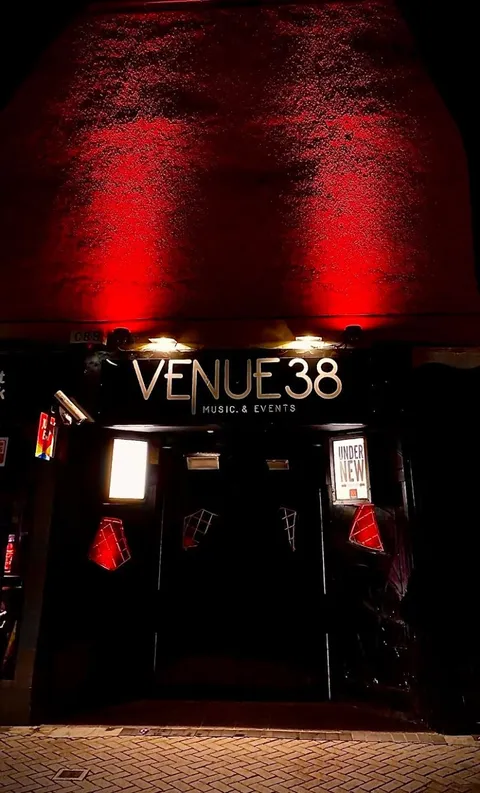
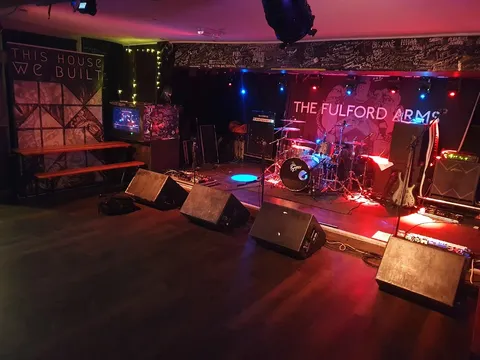
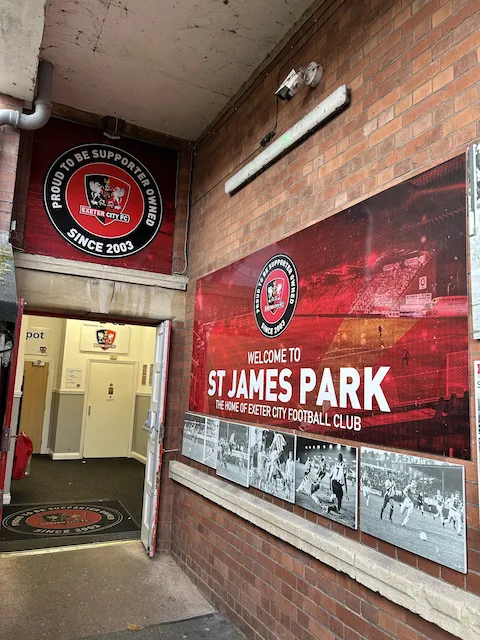
Any of these venues can list an open slot in minutes, and artists see the venue’s own profile beside the listing before they apply, so the applications come from acts that know what the room is like.











Browse the UK venue directory · GigXchange for venues · Create a free venue profile







More free tools for venues
6 more tools for running a venue, all free with a venue profile, including the GX Gig Rescue, Licensing Checker and Compliance Checklist. None of them needs a card, a trial or a paid plan, and each one is built around how UK venues book, promote and run live music.
GX Gig Rescue
Act dropped out? Broadcast an urgent booking invite to up to 25 available acts — first to accept is booked.
Licensing Checker
Ten questions decode your venue’s music licensing — permission, copyright and cost, with official sources.
Compliance Checklist
Eight questions build your venue’s compliance board — law first, ten areas, every item linked to its official source.
Martyn's Law Readiness
The 2025 Act reaches every 200+ venue from ~2027 — six questions give your tier, your duties and a first-draft procedures PDF.
Events Poster
Your upcoming programme as a live what’s-on page in seven looks — status badges, ticket links and an embed for your own website.
Find an Artist
Pick the empty date, set a 60-second brief, and invite up to 5 ranked best-fit acts with real booking invites.
Frequently asked questions
Before a first listing goes live, venues and promoters ask who sees it, what budget range to set, what happens when an artist applies, whether a listing can be edited or closed later, and what to do when the date is urgent.
Post the slot before you leave the office
Posting the slot before you leave the office takes three steps: sign up free, describe the night once, and pick from applications that arrive with the evidence attached, from music to reviews and fees.