Free tool · Promotion
One click turns your upcoming gigs into a live tour page — 7 designs, ticket links and status badges on every date, and an embed for your own website. Free with every GigXchange profile.
Updated 16 November 2026
GIGXCHANGE The Tour Poster Maker is a free tool that turns a UK act's upcoming gigs into a live tour page. Your confirmed GigXchange bookings fill the dates with venue and city attached, and you add any outside dates by hand. Pick one of the seven designs and your own photo; typography and spacing come with it, and ticket-status badges stamp on with one tap. Each date shows a QR that goes straight to its tickets, or to the whole tour when it has no ticket link. Publish it and paste the embed into your own site once: both show the published version.
The worked example below is a live tour page, annotated.
| 04Walk the tour pageThe real app, screen by screen | |
| 05How it worksThe steps, start to finish | |
| 06Worked exampleA tour page, annotated | |
| 07Everything on the posterEverything the tool does | |
| 09What makes a tour poster that sells ticketsThe background, in plain English | |
| 10Artists already on GigXchangeReal artists already on GigXchange | |
| 11More free tools for artistsThe other free tools | |
| 12Frequently asked questionsDesigns, QR, embedding |
Real tour pages, live
Seven designs, each a real published tour page from a GigXchange profile — dates, tickets and status badges exactly as a visitor sees them. Switch design and watch the real page change.
Your dates, one page, everywhere. Publish once and the same live page sits on your GigXchange profile and, through the embed, on your own website — every new booking appears on both without touching either. Sign up free to build yours.
The real Tour Poster in the GigXchange app, screen by screen: from the gig dates in your profile to a live tour page you can share and place on your own website, with ticket links on each date.
Tour dates live in too many places - an Instagram story, a pinned tweet, a website nobody has updated since spring. The tour poster puts them on one live page that your bookings fill in, in one of seven looks, with ticket links on the dates that have them.
Below is the real thing for The Velvet Pines, screen by screen, from the dashboard to the embed that puts the same page on their own website.
- 01 / 04 Your dates
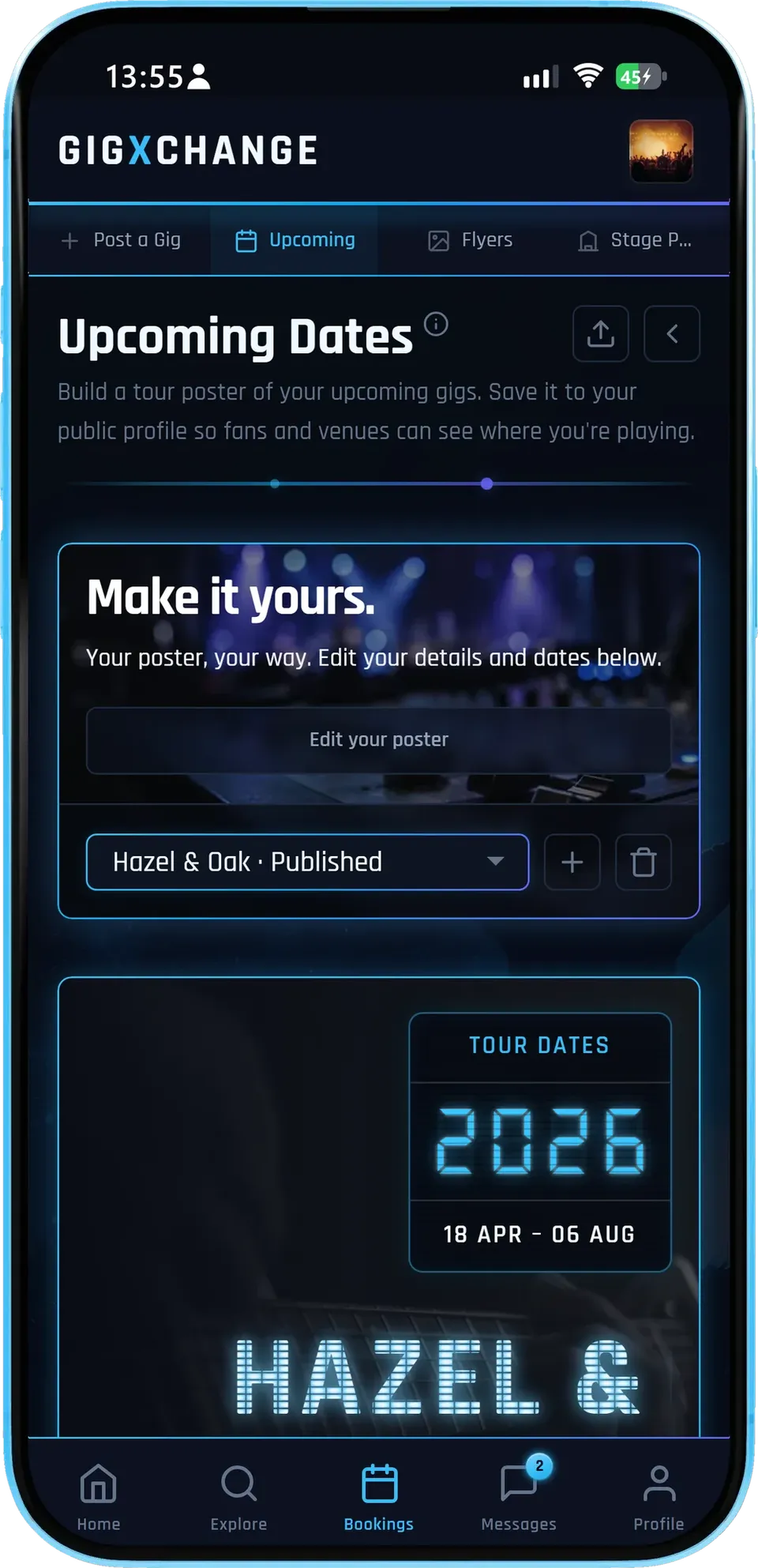
The dashboard shows your tour poster - title, dates and cover - and whether it is published or still a draft.
- ImportedYour upcoming bookings come in with their dates.
- Edit the detailsTitle, cover and dates, then publish.
- Drafts stay privateNothing is public until you publish.
The Velvet Pines' poster is published, so the same page is already live for anyone they share it with.
- 02 / 04 Every date, one page
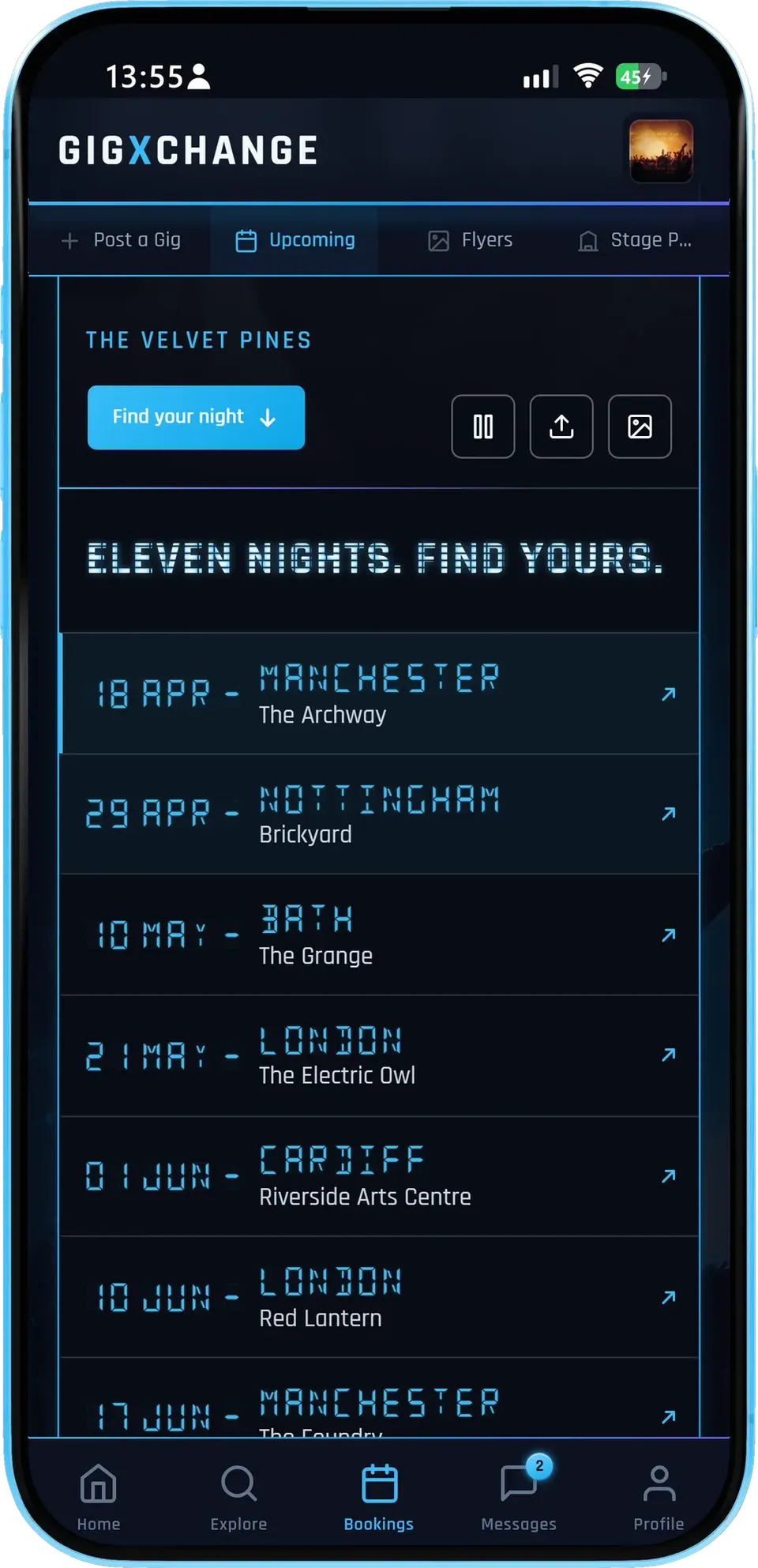
Visitors see every date with the city and venue, and tap through to tickets wherever you have added a link.
- Status badgesOn sale, last few or sold out - set by you.
- Ticket linksVisitors tap straight from the date to tickets.
- Add a showA gig booked anywhere else goes on in seconds.
Listing every date on one page means a fan in any city finds their night without scrolling a feed.
- 03 / 04 On your own website
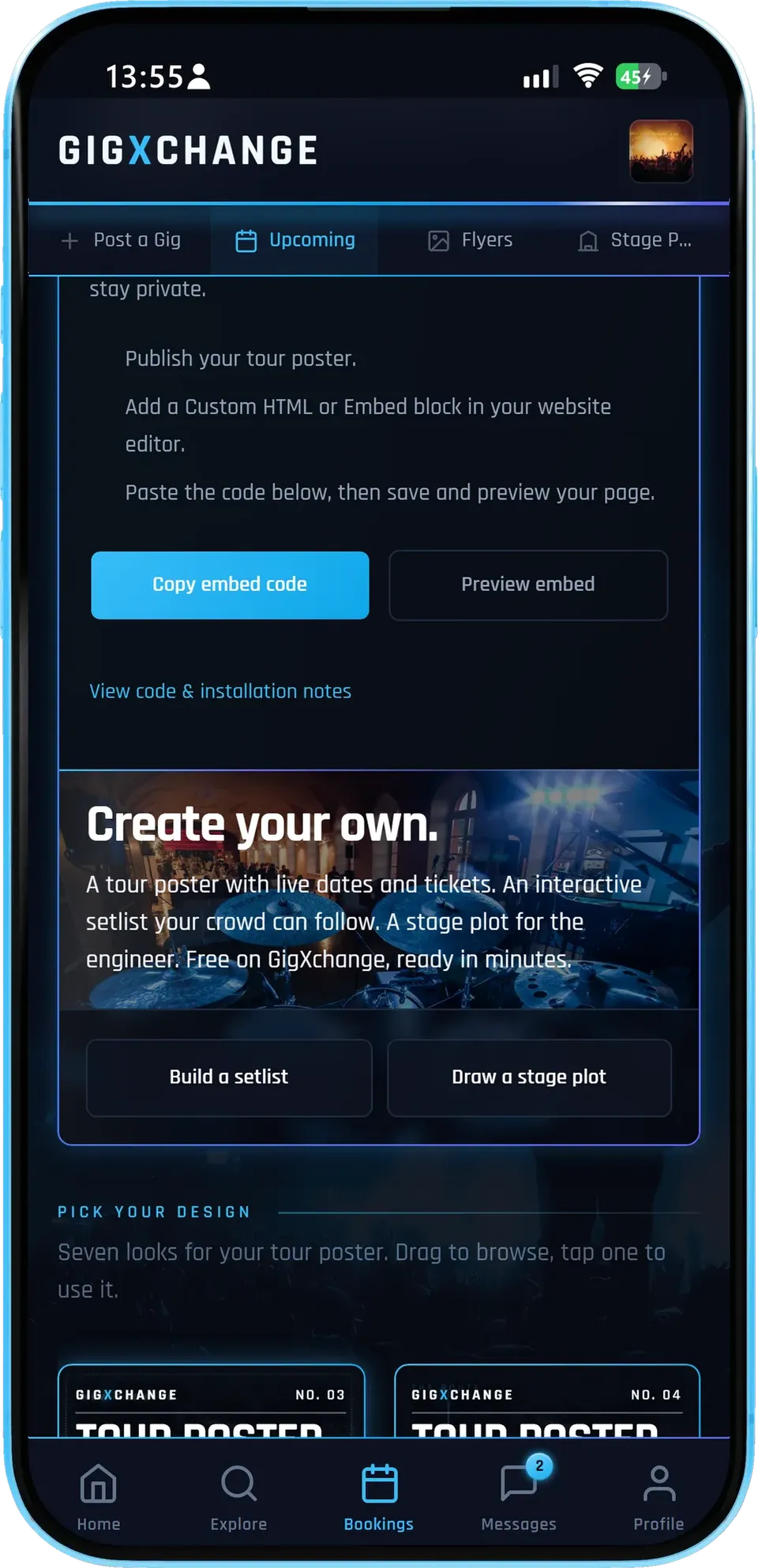
Copy one embed code, paste it into your website once, and the same live page appears there - preview it before you publish.
- One snippetPaste it once into any site that accepts HTML.
- Matches what you publishEvery republish shows up on your website too.
- Share itThe same page has share and add-to-calendar buttons.
Your published updates appear on your website automatically and drafts stay private, so your site shows exactly what you last published.
- 04 / 04 Pick a look
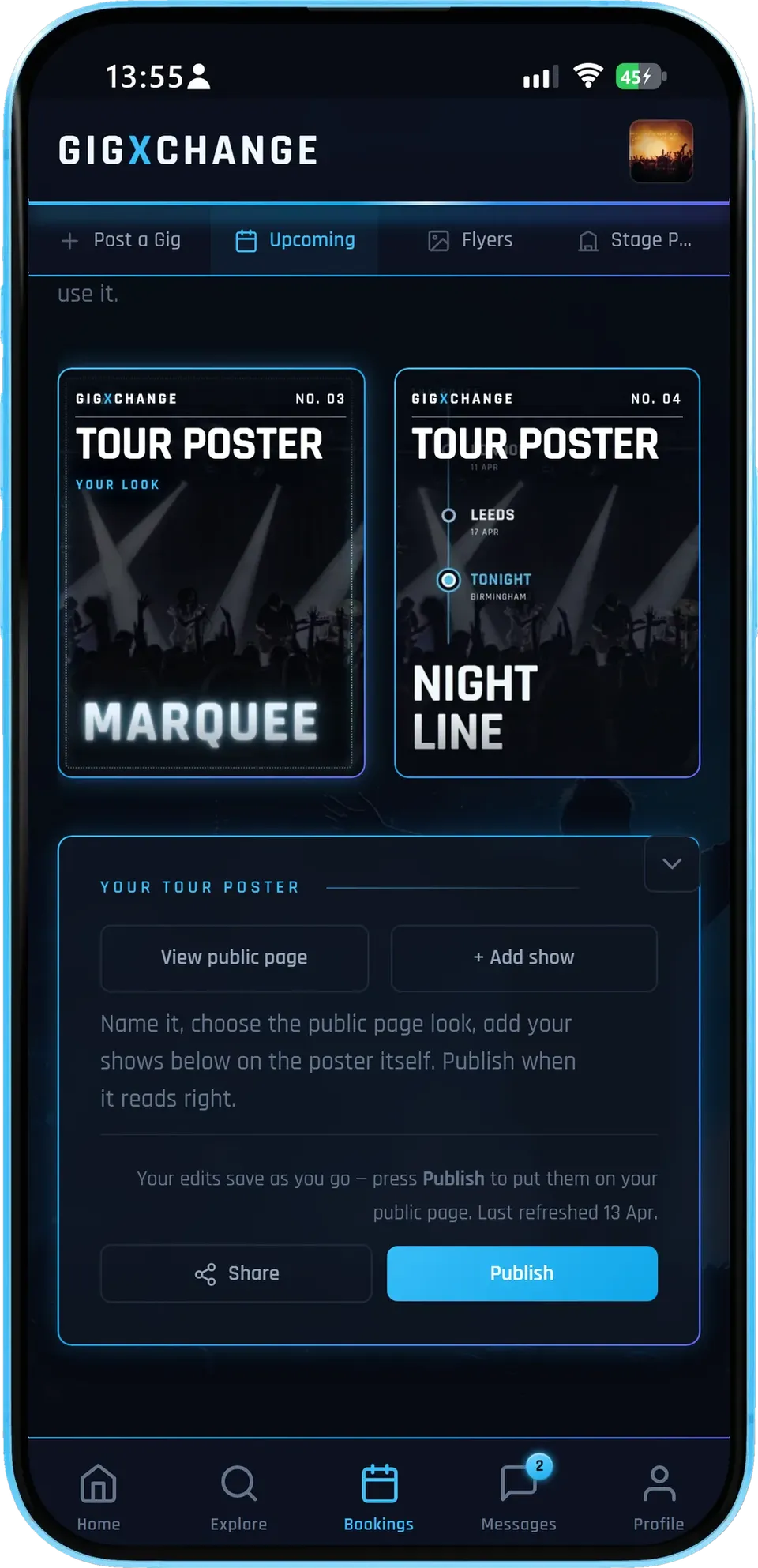
Browse the seven looks and tap one to use it; the whole page changes, and you can switch any time.
- Seven looksCinematic, Signal, Marquee, Nightline, Edition, Monolith, Contact sheet.
- Your coverYour own photo carries every look.
- Publish when readyChange the look in draft, publish when you are happy.
The same seven looks power venues' events pages, so a tour and the rooms on it can share a visual language.
- 01 / 04
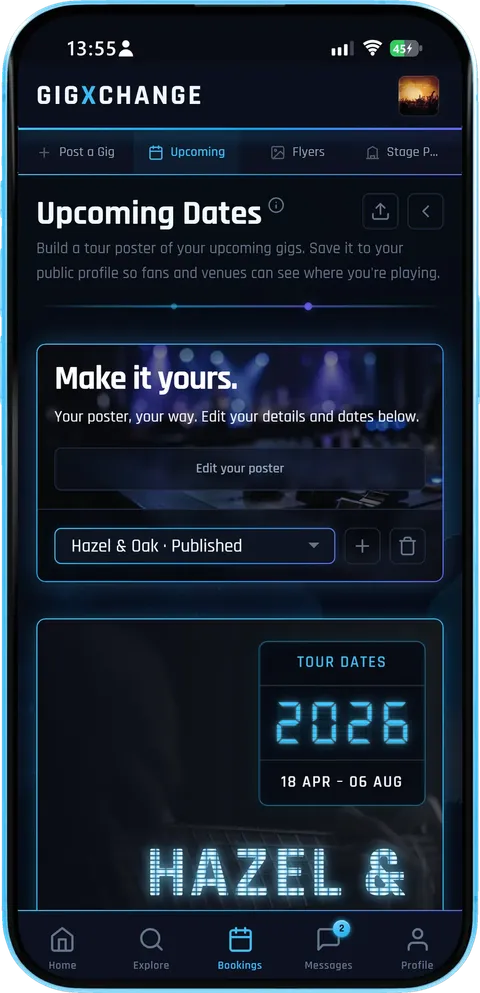 Your dates
The dashboard shows your tour poster - title, dates and cover - and whether it is published or still a draft.
- ImportedYour upcoming bookings come in with their dates.
- Edit the detailsTitle, cover and dates, then publish.
- Drafts stay privateNothing is public until you publish.
The Velvet Pines' poster is published, so the same page is already live for anyone they share it with.
- 02 / 04
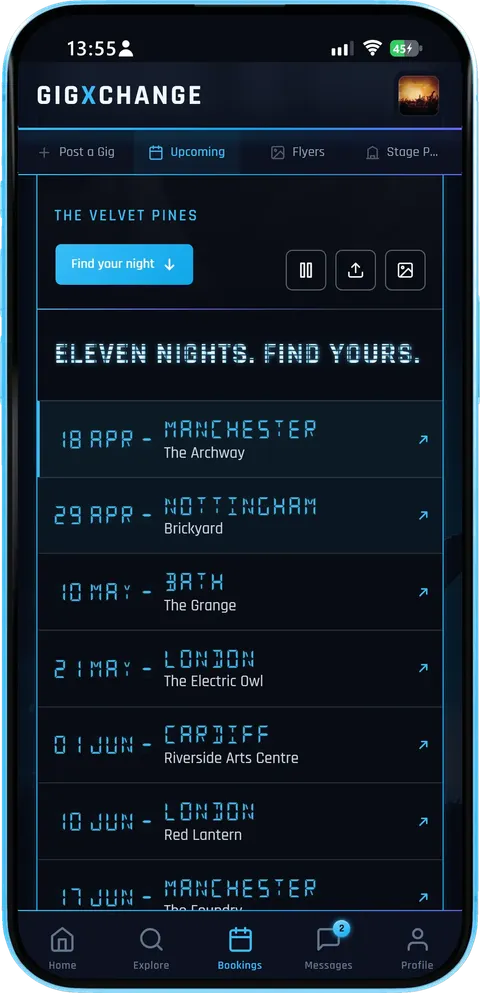 Every date, one page
Visitors see every date with the city and venue, and tap through to tickets wherever you have added a link.
- Status badgesOn sale, last few or sold out - set by you.
- Ticket linksVisitors tap straight from the date to tickets.
- Add a showA gig booked anywhere else goes on in seconds.
Listing every date on one page means a fan in any city finds their night without scrolling a feed.
- 03 / 04
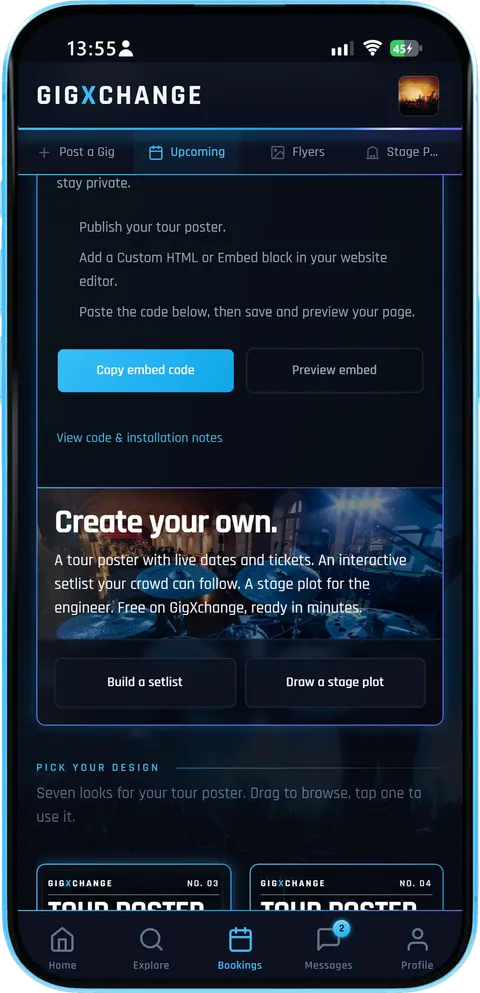 On your own website
Copy one embed code, paste it into your website once, and the same live page appears there - preview it before you publish.
- One snippetPaste it once into any site that accepts HTML.
- Matches what you publishEvery republish shows up on your website too.
- Share itThe same page has share and add-to-calendar buttons.
Your published updates appear on your website automatically and drafts stay private, so your site shows exactly what you last published.
- 04 / 04
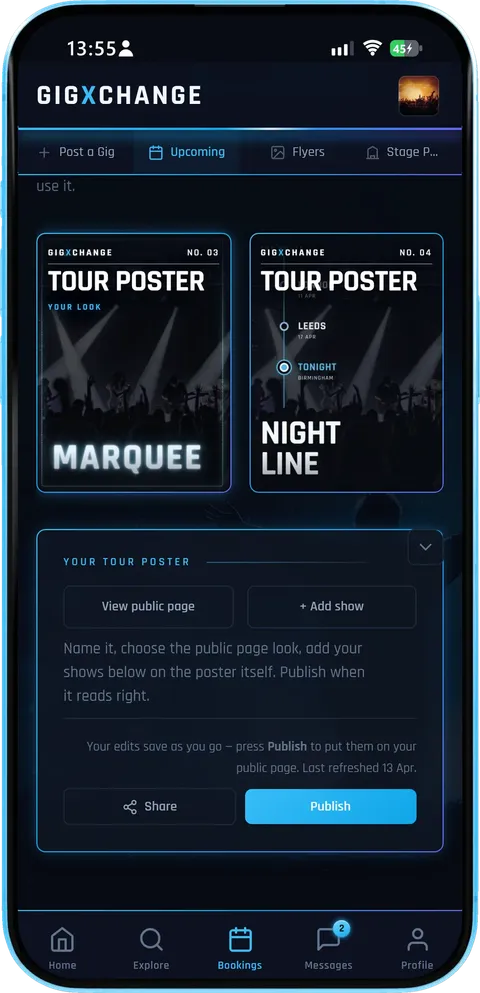 Pick a look
Browse the seven looks and tap one to use it; the whole page changes, and you can switch any time.
- Seven looksCinematic, Signal, Marquee, Nightline, Edition, Monolith, Contact sheet.
- Your coverYour own photo carries every look.
- Publish when readyChange the look in draft, publish when you are happy.
The same seven looks power venues' events pages, so a tour and the rooms on it can share a visual language.
The Tour Poster turns your booked gigs into a live tour page you can share and embed in four short steps, and when a new booking lands you reopen the poster, refresh the list and press Publish so the shared link and your website update together.
| 01 | Add your gigsDates fill themselvesYour confirmed GigXchange bookings flow onto the poster automatically — venue and city included. Outside gigs? Add them by hand. |
| 02 | Pick a designSeven to choose fromCinematic, Signal, Marquee, Nightline, Edition, Monolith and Contact sheet. Add your own photo. The design changes; your dates never move. |
| 03 | Publish itOne link, always currentPublishing puts it on your profile as a public page — every date with its ticket link, its status badge and a QR that carries the tour away on a phone. |
| 04 | Put it on your siteEmbed it anywherePaste one snippet into your own website and the same live page appears there, showing whatever you last published as your dates change. |
A capture of a demo act's finished tour, annotated: built from the gig list, the dates with their venues, and the QR for tickets.
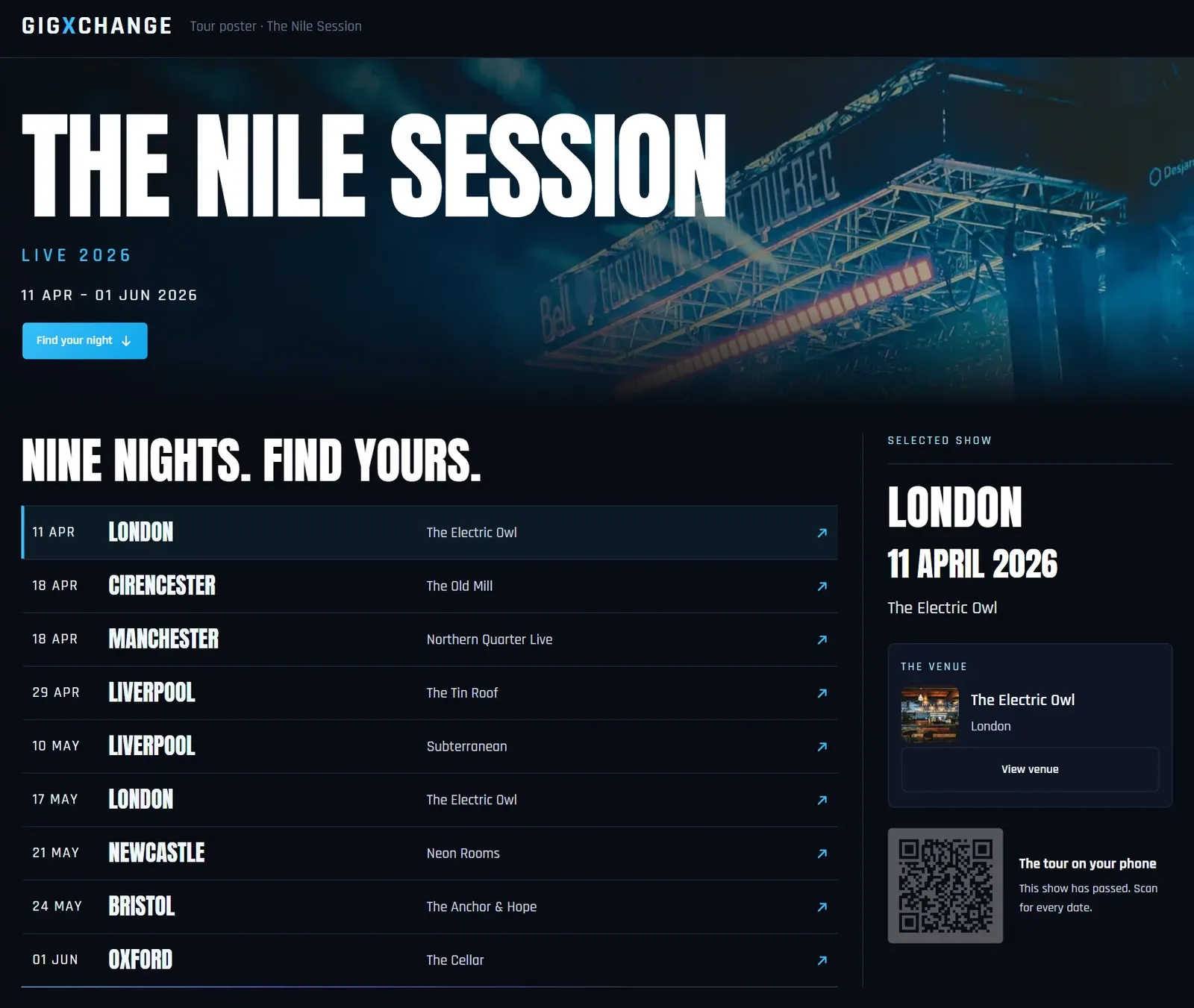
A capture of a demo act's finished tour, in the Cinematic design. Yours lists your own dates, in any of the seven designs.
Make your tour posterEverything on the poster is built for working acts, so it does not just look right, it sells the dates: each gig shows its venue and town, with a ticket link where you add one, in a design built for the three-second scan.
| Auto-import1-click from your gig listYour upcoming GigXchange bookings flow straight onto the poster — dates, venues and cities, no retyping. Add outside dates by hand too. |
| Design7 designs for your tour pageCinematic, Signal, Marquee, Nightline, Edition, Monolith and Contact sheet, with your own photo. On-brand without a designer, and switchable whenever you like. |
| EmbedThe same page on your own sitePublishing gives you a snippet. Paste it once and your dates stay current wherever you put them — no second list to maintain. |
| TicketsA QR that pockets the tourOpen a date and it shows a QR — straight to that date’s tickets when it has a link, or to your tour page with every date on it. |
| UrgencyTicket-status badgesStamp dates as on sale, last few or sold out. The badges live on the page, so even a screenshot of it still does the selling. |
| HonestyIt never sells what it cannot sellA show that has already happened stops advertising tickets by itself, so your page never sends a fan to a night that is gone. |
| Live hubA live tour page, freePublishing gives you a public tour hub on your profile listing every date with ticket links — one URL for bios, EPKs and pitch emails. |
| CalendarAdd to calendar, in one tapFans can take your dated shows straight into their own calendar, so the tour turns up in their week instead of their memory. |
One-click build1
Your gig list becomes the poster. Your confirmed bookings flow straight onto the poster — dates, venues and cities, no retyping
Auto-imports your upcoming GigXchange gigs
Add outside dates by hand too
New booking lands? Reopen it — the list updates
Saved posters stay editable forever
Publish and the live page moves in seconds
Add your tour dates
| How it works | |
| Event promotion guide | |
| Find out more | |
| Create a free profile |
Seven designs7
On-brand without a designer. Cinematic, Signal, Marquee, Nightline, Edition, Monolith and Contact sheet — seven ways to present the same dates
Your own photo on the page
Artist name biggest, dates next — always
Ticket-status badges: on sale, last few, sold out
Every design survives the 3-second scan
The previews on this page ARE the live pages
Switch design any time — your dates never move
| How it works | |
| Flyer builder | |
| Find out more | |
| Create a free profile |
On your own site1
One snippet, always current. Your own website should not need a second copy of your gig list
One snippet, pasted once
Shows your dates from the moment you publish
Ticket links and badges come with it
Works on any site that takes HTML
Or just share the page as a link
Free, like the rest of it
| How it works | |
| Events poster (venues) | |
| Find out more | |
| Create a free profile |
Cost, ever£0
Free — the marketplace pays for it. Every design, every date, every re-edit — free forever
No subscriptions and no listing fees
No trial limits and no feature caps
GigXchange earns from its booking marketplace
The embed on your own website is free too
One of 19 free tools on GigXchange
| All free tools | |
| How It Works | |
| Find out more | |
| Create a free profile |
Get startedFree
Built into every free profile. Sign up free, add your gigs, press one button — postered before soundcheck
Sign up in about 30 seconds — no card
Lives in your dashboard beside the gig calendar
Publishing gives you a live public tour hub
Free on iPhone, Android or any browser
| How it works | |
| All free tools | |
| Find out more | |
| Create a free profile |
A tour poster sells tickets when it is more than a pretty date list. These are the habits of posters that actually move people through the door: current dates, clear venues and towns, and a ticket link wherever you have one.
One job: survive the 3-second scan
A tour poster gets glanced at, not read — on a venue wall from 2 metres, or mid-scroll for under 3 seconds. That's why the hierarchy never changes: artist name biggest, dates next, everything else third. All seven GigXchange designs bake that hierarchy in, so whatever look you pick — Cinematic, Signal, Marquee, Nightline, Edition, Monolith or Contact sheet — the name and the dates always win. Your only real decisions are the design, your photo, and which dates to show.
A page beats a picture, because a picture goes stale
An image of your dates is out of date the moment a show sells out — and the copies already in circulation stay wrong forever. A live page does not have that problem: the link you posted in March still shows the right thing in June, because it is reading your actual gig list rather than remembering it. That is why the tour page is the product here and there is no poster file to keep re-exporting. Pick one of the seven designs, publish once, and spend the rest of the tour adding dates rather than re-making artwork.
Make the dates sellable, not just visible
A date list tells people where you'll be; ticket signals tell them to act. Stamping last few on a near-sold-out date is the single highest-leverage edit you can make to a poster — scarcity converts. Marking earlier dates sold out does a second job: social proof for every date still on sale. And because each date can carry its own QR straight to its ticket link, the poster on the wall is a point of sale, not just decoration. For the wider playbook on filling a room, see the event promotion guide.
The QR code has to land somewhere that's current
Dates sell out, venues change, support acts get added. Open a date on your tour page and it shows a QR: straight to that date's tickets if it has a link, otherwise to the page itself with every date on it. Hold your phone up at the merch desk and the fan leaves with the whole tour. Because it points at a page rather than a file, what they scanned last month still tells the truth today — and it is one clean URL for your bios, EPK and pitch emails.
Refresh it as the tour moves
Your saved poster stays editable — when a date sells out or a new booking lands through GigXchange, reopen it, and the gig list updates. Press Publish and the link already in circulation shows the new version — nothing to re-send. Pair the poster with the UK Gig Rate Calculator when routing the tour, and find open rooms in the live gig directory — 89 UK cities of them.
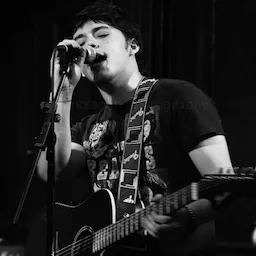
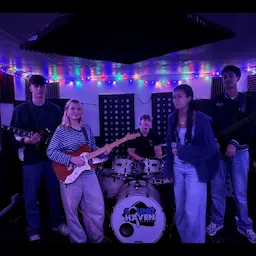
Acts here keep their dates on one live tour page, and any of them can publish theirs from the same free profile, so fans always see the current run of gigs rather than an old poster.
- Aimless
- Silver locket
- JacksonBerg25
- The Struts(provisional band name)
- Charlie Wilson
- Deacon Gault
- David Rybka
- Madeleine Flockhart
- Jude
- The House Of Pangari Production Company Ltd
- The Masquerade
- Shrug band
- David Wilson
- The Second Wave
- Jim Judges
- Repeat Offenders
- The Ultimate 80’s Party with Kezza
- Gordy Mac
- Anti-Meta
- Kelsey Dee
Dates on a poster are the start; the next job is playing them well and getting paid. These 11 tools price each gig, build a stage plot, flyers and an EPK, show your live availability and turn bookings into invoices.
| RatesUK Gig Rate CalculatorLive market percentiles for every band size, city and event type — built on the GigXchange Index. Updated nightly. | |
| MoneyInvoice GeneratorVAT-ready invoices built from your gig bookings — auto-numbered, branded PDF, tracked from unpaid to paid. | |
| Stage setupStage PlotA 3D stage and 2D plan, an input list and monitor mixes that fill themselves in, a PDF rider and a live embed. | |
| PromotionFlyer BuilderGig flyers in eleven editorial designs — prefilled from your booking, downloaded as a JPEG or published with an embed for your own site. | |
| BookingsBooking ManagerYour live availability embedded on your own website — visitors see free dates and book you direct. One snippet, zero upkeep. | |
| Press kitEPK BuilderA press kit that updates itself — 18 blocks to arrange, live players, verified reviews and availability at one link. | |
| PromotionInstagram MicrositeOne link for your Instagram bio — music, free dates, gigs, reviews and a booking button, built from your profile in five looks. | |
| AudienceFans & Mailing ListAn audience you own — fans join from your profile, you send branded email updates with your flyers and posters attached. | |
| MatchingAI MatchesPick a free date, set a 60-second brief, get ranked best-fit venues — and pitch them with real booking invites. | |
| ContractsBooking Contract GeneratorEvery booking comes with its agreement: built from what you agreed, plain-English terms, signed by both sides in the app, PDF download. | |
| Set PlanningSetlist BuilderSets, intervals and running time against your slot, four looks, then a published page fans tap through, an embed and a printable gig sheet. | |
| BenchmarksGX IndexThe UK’s open, free rate dataset for live music. Search by city, genre and use case. Submit your own anonymous rates. | |
| ResearchUK Musician Earnings 2026Data-backed report on what UK musicians actually earn — the £8bn paradox, the income ladder, the 50% rule. Free, CC BY 4.0. |
Where do the dates come from, how do the QR codes work, and what do the designs look like? Those three, plus embedding your tour dates on your own website and whether venues and promoters can make posters too, are settled below.
| Setlist builder | |
| Booking contracts | |
| Gig rate calculator | |
| All embed widgets | |
| All free tools |
| Live gig directory | |
| Open mic finder | |
| Venue directory | |
| How to put on a gig |
| Create a free profile | |
| How it works |
Postering the tour tonight takes three steps: sign up free, add your gigs and press one button. Your tour page is then live, and on your own website too, before you have even reached soundcheck.

Your gig list, now a tour poster
One click turns your upcoming gigs into a live tour page — 7 designs, ticket links and status badges on every date, and an embed for your own website. Free with every GigXchange profile.


Last updated: 16 November 2026
How do you make a tour poster? From your gigs
GIGXCHANGE The Tour Poster Maker is a free tool that turns a UK act's upcoming gigs into a live tour page. Your confirmed GigXchange bookings fill the dates with venue and city attached, and you add any outside dates by hand. Pick one of the seven designs and your own photo; typography and spacing come with it, and ticket-status badges stamp on with one tap. Each date shows a QR that goes straight to its tickets, or to the whole tour when it has no ticket link. Publish it and paste the embed into your own site once: both show the published version.
The worked example below is a live tour page, annotated.
Real tour pages, live
Seven designs, each a real published tour page from a GigXchange profile — dates, tickets and status badges exactly as a visitor sees them. Switch design and watch the real page change.
Your dates, one page, everywhere. Publish once and the same live page sits on your GigXchange profile and, through the embed, on your own website — every new booking appears on both without touching either. Sign up free to build yours.
Walk the tour page
The real Tour Poster in the GigXchange app, screen by screen: from the gig dates in your profile to a live tour page you can share and place on your own website, with ticket links on each date.
Tour dates live in too many places - an Instagram story, a pinned tweet, a website nobody has updated since spring. The tour poster puts them on one live page that your bookings fill in, in one of seven looks, with ticket links on the dates that have them.
Below is the real thing for The Velvet Pines, screen by screen, from the dashboard to the embed that puts the same page on their own website.
- 01 / 04
Your dates
The dashboard shows your tour poster - title, dates and cover - and whether it is published or still a draft.
- ImportedYour upcoming bookings come in with their dates.
- Edit the detailsTitle, cover and dates, then publish.
- Drafts stay privateNothing is public until you publish.
The Velvet Pines' poster is published, so the same page is already live for anyone they share it with.
- 02 / 04
Every date, one page
Visitors see every date with the city and venue, and tap through to tickets wherever you have added a link.
- Status badgesOn sale, last few or sold out - set by you.
- Ticket linksVisitors tap straight from the date to tickets.
- Add a showA gig booked anywhere else goes on in seconds.
Listing every date on one page means a fan in any city finds their night without scrolling a feed.
- 03 / 04
On your own website
Copy one embed code, paste it into your website once, and the same live page appears there - preview it before you publish.
- One snippetPaste it once into any site that accepts HTML.
- Matches what you publishEvery republish shows up on your website too.
- Share itThe same page has share and add-to-calendar buttons.
Your published updates appear on your website automatically and drafts stay private, so your site shows exactly what you last published.
- 04 / 04
Pick a look
Browse the seven looks and tap one to use it; the whole page changes, and you can switch any time.
- Seven looksCinematic, Signal, Marquee, Nightline, Edition, Monolith, Contact sheet.
- Your coverYour own photo carries every look.
- Publish when readyChange the look in draft, publish when you are happy.
The same seven looks power venues' events pages, so a tour and the rooms on it can share a visual language.
- 01 / 04
Your dates
The dashboard shows your tour poster - title, dates and cover - and whether it is published or still a draft.
- ImportedYour upcoming bookings come in with their dates.
- Edit the detailsTitle, cover and dates, then publish.
- Drafts stay privateNothing is public until you publish.
The Velvet Pines' poster is published, so the same page is already live for anyone they share it with.
- 02 / 04
Every date, one page
Visitors see every date with the city and venue, and tap through to tickets wherever you have added a link.
- Status badgesOn sale, last few or sold out - set by you.
- Ticket linksVisitors tap straight from the date to tickets.
- Add a showA gig booked anywhere else goes on in seconds.
Listing every date on one page means a fan in any city finds their night without scrolling a feed.
- 03 / 04
On your own website
Copy one embed code, paste it into your website once, and the same live page appears there - preview it before you publish.
- One snippetPaste it once into any site that accepts HTML.
- Matches what you publishEvery republish shows up on your website too.
- Share itThe same page has share and add-to-calendar buttons.
Your published updates appear on your website automatically and drafts stay private, so your site shows exactly what you last published.
- 04 / 04
Pick a look
Browse the seven looks and tap one to use it; the whole page changes, and you can switch any time.
- Seven looksCinematic, Signal, Marquee, Nightline, Edition, Monolith, Contact sheet.
- Your coverYour own photo carries every look.
- Publish when readyChange the look in draft, publish when you are happy.
The same seven looks power venues' events pages, so a tour and the rooms on it can share a visual language.
How it works
The Tour Poster turns your booked gigs into a live tour page you can share and embed in four short steps, and when a new booking lands you reopen the poster, refresh the list and press Publish so the shared link and your website update together.
Dates fill themselves
Your confirmed GigXchange bookings flow onto the poster automatically — venue and city included. Outside gigs? Add them by hand.
Seven to choose from
Cinematic, Signal, Marquee, Nightline, Edition, Monolith and Contact sheet. Add your own photo. The design changes; your dates never move.
One link, always current
Publishing puts it on your profile as a public page — every date with its ticket link, its status badge and a QR that carries the tour away on a phone.
Embed it anywhere
Paste one snippet into your own website and the same live page appears there, showing whatever you last published as your dates change.
Worked example
A capture of a demo act's finished tour, annotated: built from the gig list, the dates with their venues, and the QR for tickets.
A capture of a demo act's finished tour, in the Cinematic design. Yours lists your own dates, in any of the seven designs.
Make your tour posterEverything on the poster
Everything on the poster is built for working acts, so it does not just look right, it sells the dates: each gig shows its venue and town, with a ticket link where you add one, in a design built for the three-second scan.
1-click from your gig list
Your upcoming GigXchange bookings flow straight onto the poster — dates, venues and cities, no retyping. Add outside dates by hand too.
7 designs for your tour page
Cinematic, Signal, Marquee, Nightline, Edition, Monolith and Contact sheet, with your own photo. On-brand without a designer, and switchable whenever you like.
The same page on your own site
Publishing gives you a snippet. Paste it once and your dates stay current wherever you put them — no second list to maintain.
A QR that pockets the tour
Open a date and it shows a QR — straight to that date’s tickets when it has a link, or to your tour page with every date on it.
Ticket-status badges
Stamp dates as on sale, last few or sold out. The badges live on the page, so even a screenshot of it still does the selling.
It never sells what it cannot sell
A show that has already happened stops advertising tickets by itself, so your page never sends a fan to a night that is gone.
A live tour page, free
Publishing gives you a public tour hub on your profile listing every date with ticket links — one URL for bios, EPKs and pitch emails.
Add to calendar, in one tap
Fans can take your dated shows straight into their own calendar, so the tour turns up in their week instead of their memory.
What makes a tour poster that sells tickets
A tour poster sells tickets when it is more than a pretty date list. These are the habits of posters that actually move people through the door: current dates, clear venues and towns, and a ticket link wherever you have one.
One job: survive the 3-second scan
A tour poster gets glanced at, not read — on a venue wall from 2 metres, or mid-scroll for under 3 seconds. That's why the hierarchy never changes: artist name biggest, dates next, everything else third. All seven GigXchange designs bake that hierarchy in, so whatever look you pick — Cinematic, Signal, Marquee, Nightline, Edition, Monolith or Contact sheet — the name and the dates always win. Your only real decisions are the design, your photo, and which dates to show.
A page beats a picture, because a picture goes stale
An image of your dates is out of date the moment a show sells out — and the copies already in circulation stay wrong forever. A live page does not have that problem: the link you posted in March still shows the right thing in June, because it is reading your actual gig list rather than remembering it. That is why the tour page is the product here and there is no poster file to keep re-exporting. Pick one of the seven designs, publish once, and spend the rest of the tour adding dates rather than re-making artwork.
Make the dates sellable, not just visible
A date list tells people where you'll be; ticket signals tell them to act. Stamping last few on a near-sold-out date is the single highest-leverage edit you can make to a poster — scarcity converts. Marking earlier dates sold out does a second job: social proof for every date still on sale. And because each date can carry its own QR straight to its ticket link, the poster on the wall is a point of sale, not just decoration. For the wider playbook on filling a room, see the event promotion guide.
The QR code has to land somewhere that's current
Dates sell out, venues change, support acts get added. Open a date on your tour page and it shows a QR: straight to that date's tickets if it has a link, otherwise to the page itself with every date on it. Hold your phone up at the merch desk and the fan leaves with the whole tour. Because it points at a page rather than a file, what they scanned last month still tells the truth today — and it is one clean URL for your bios, EPK and pitch emails.
Refresh it as the tour moves
Your saved poster stays editable — when a date sells out or a new booking lands through GigXchange, reopen it, and the gig list updates. Press Publish and the link already in circulation shows the new version — nothing to re-send. Pair the poster with the UK Gig Rate Calculator when routing the tour, and find open rooms in the live gig directory — 89 UK cities of them.
Artists already on GigXchange
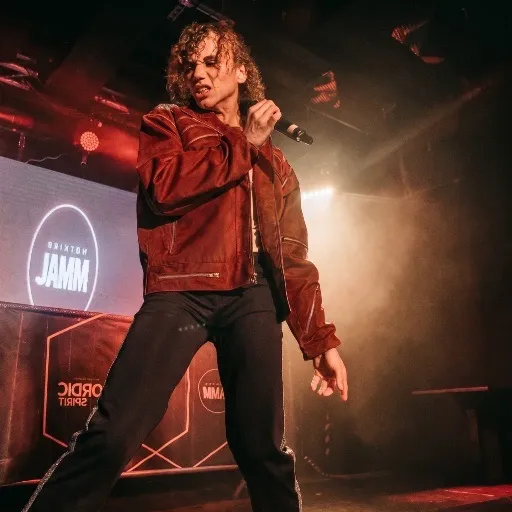
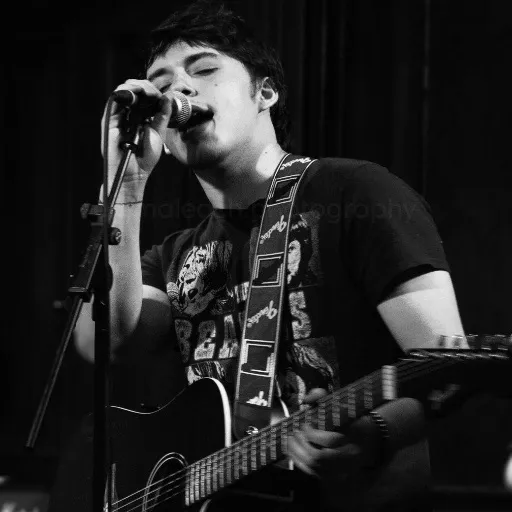
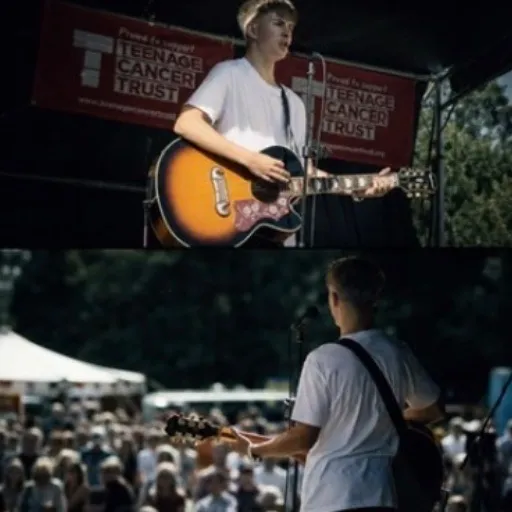
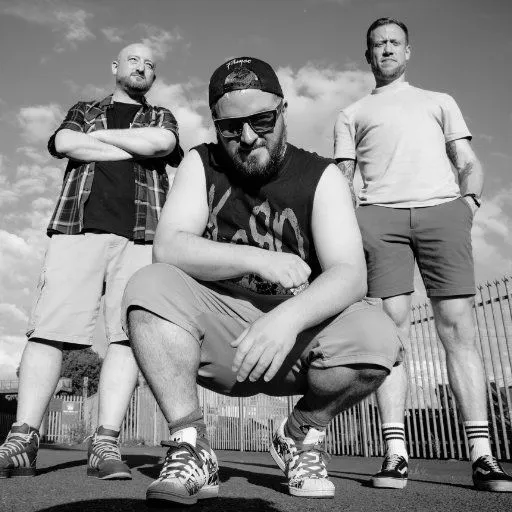
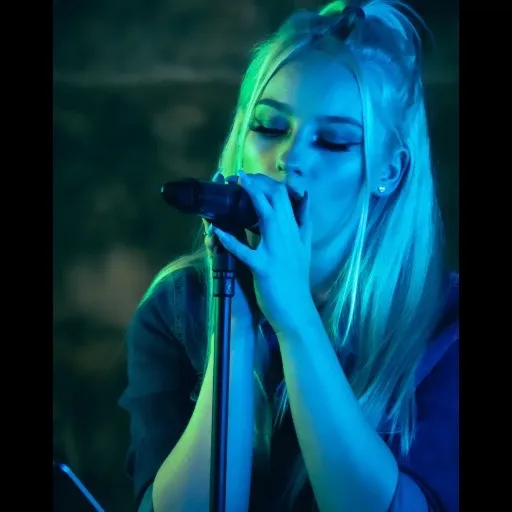
Acts here keep their dates on one live tour page, and any of them can publish theirs from the same free profile, so fans always see the current run of gigs rather than an old poster.





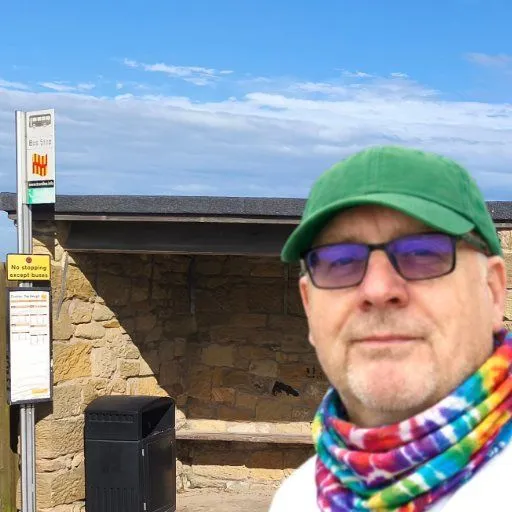
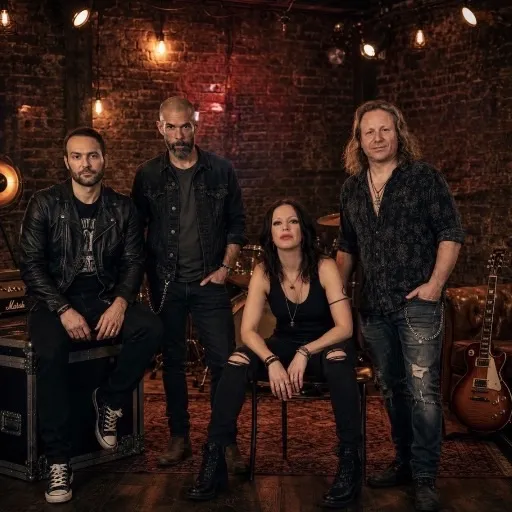
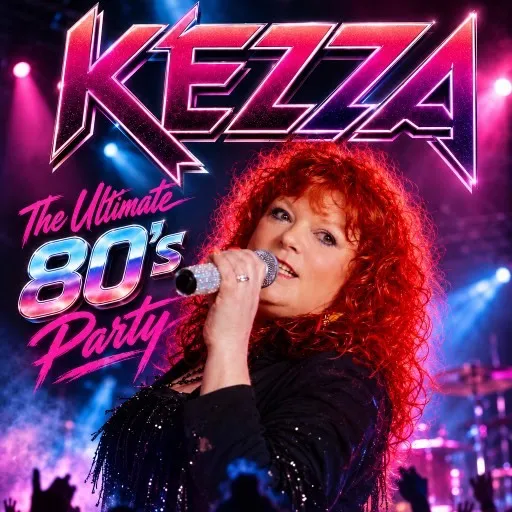
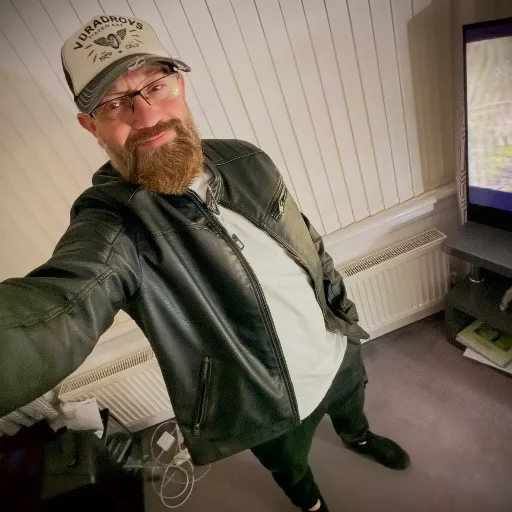
Browse UK artist profiles · GigXchange for artists · Create a free artist profile







More free tools for artists
13 more free tools and resources for gigging artists, including the UK Gig Rate Calculator, Invoice Generator and Stage Plot. None of them needs a card or a paid plan, and the ones that save your work keep it in the same free artist profile you get booked with, so nothing is set up twice.
UK Gig Rate Calculator
Live market percentiles for every band size, city and event type — built on the GigXchange Index. Updated nightly.
Invoice Generator
VAT-ready invoices built from your gig bookings — auto-numbered, branded PDF, tracked from unpaid to paid.
Stage Plot
A 3D stage and 2D plan, an input list and monitor mixes that fill themselves in, a PDF rider and a live embed.
Flyer Builder
Gig flyers in eleven editorial designs — prefilled from your booking, downloaded as a JPEG or published with an embed for your own site.
Booking Manager
Your live availability embedded on your own website — visitors see free dates and book you direct. One snippet, zero upkeep.
EPK Builder
A press kit that updates itself — 18 blocks to arrange, live players, verified reviews and availability at one link.
Instagram Microsite
One link for your Instagram bio — music, free dates, gigs, reviews and a booking button, built from your profile in five looks.
Fans & Mailing List
An audience you own — fans join from your profile, you send branded email updates with your flyers and posters attached.
AI Matches
Pick a free date, set a 60-second brief, get ranked best-fit venues — and pitch them with real booking invites.
Booking Contract Generator
Every booking comes with its agreement: built from what you agreed, plain-English terms, signed by both sides in the app, PDF download.
Setlist Builder
Sets, intervals and running time against your slot, four looks, then a published page fans tap through, an embed and a printable gig sheet.
GX Index
The UK’s open, free rate dataset for live music. Search by city, genre and use case. Submit your own anonymous rates.
UK Musician Earnings 2026
Data-backed report on what UK musicians actually earn — the £8bn paradox, the income ladder, the 50% rule. Free, CC BY 4.0.
Frequently asked questions
Where do the dates come from, how do the QR codes work, and what do the designs look like? Those three, plus embedding your tour dates on your own website and whether venues and promoters can make posters too, are settled below.
Poster the tour tonight
Postering the tour tonight takes three steps: sign up free, add your gigs and press one button. Your tour page is then live, and on your own website too, before you have even reached soundcheck.