Free tool · For venues
Your upcoming events become a live what's-on page in seven designed looks - optional status badges and ticket links, sharing and add-to-calendar built in, and an embed for your own website. Free with every GigXchange venue profile.
Updated 14 November 2026
GIGXCHANGE The Events Poster is a free live what's-on page for UK venues, built from their GigXchange programme. Your upcoming bookings import onto the poster with their dates attached, and you can add a show booked anywhere else by hand. Give each date its ticket link and a status - on sale, last few or sold out, set by you, never guessed - and visitors tap the night they want and land on tickets, with a QR for each date on screen. Pick one of seven looks, publish, and paste the embed into your own site once: every time you republish, it shows the new version.
The worked example below is a capture of a live events poster, annotated.
| 03Walk the posterThe real app, screen by screen | |
| 04How it worksThe steps, start to finish | |
| 05Worked exampleA poster, annotated | |
| 06Everything on the posterEverything the tool does | |
| 08What makes a what's-on poster that fills roomsThe background, in plain English | |
| 09Venues already on GigXchangeReal venues already on GigXchange | |
| 10More free tools for venuesThe other free tools | |
| 11Frequently asked questionsLooks, tickets, embedding |
The real Events Poster in the GigXchange app, step by step: from the gigs in your venue programme to a live what’s-on page you can share and place on your own website.
Every venue means to keep its what's-on list current, and almost none do, because rebuilding a poster or a web page for each new booking costs time nobody has. The Events Poster removes the rebuilding: the page imports the programme you already keep on GigXchange, and you republish when it changes.
Below is the real thing, screen by screen, for The Foundry - a venue with a full season published - from the dashboard to the embed that puts the same live page on the venue's own website.
- 01 / 04 Your programme
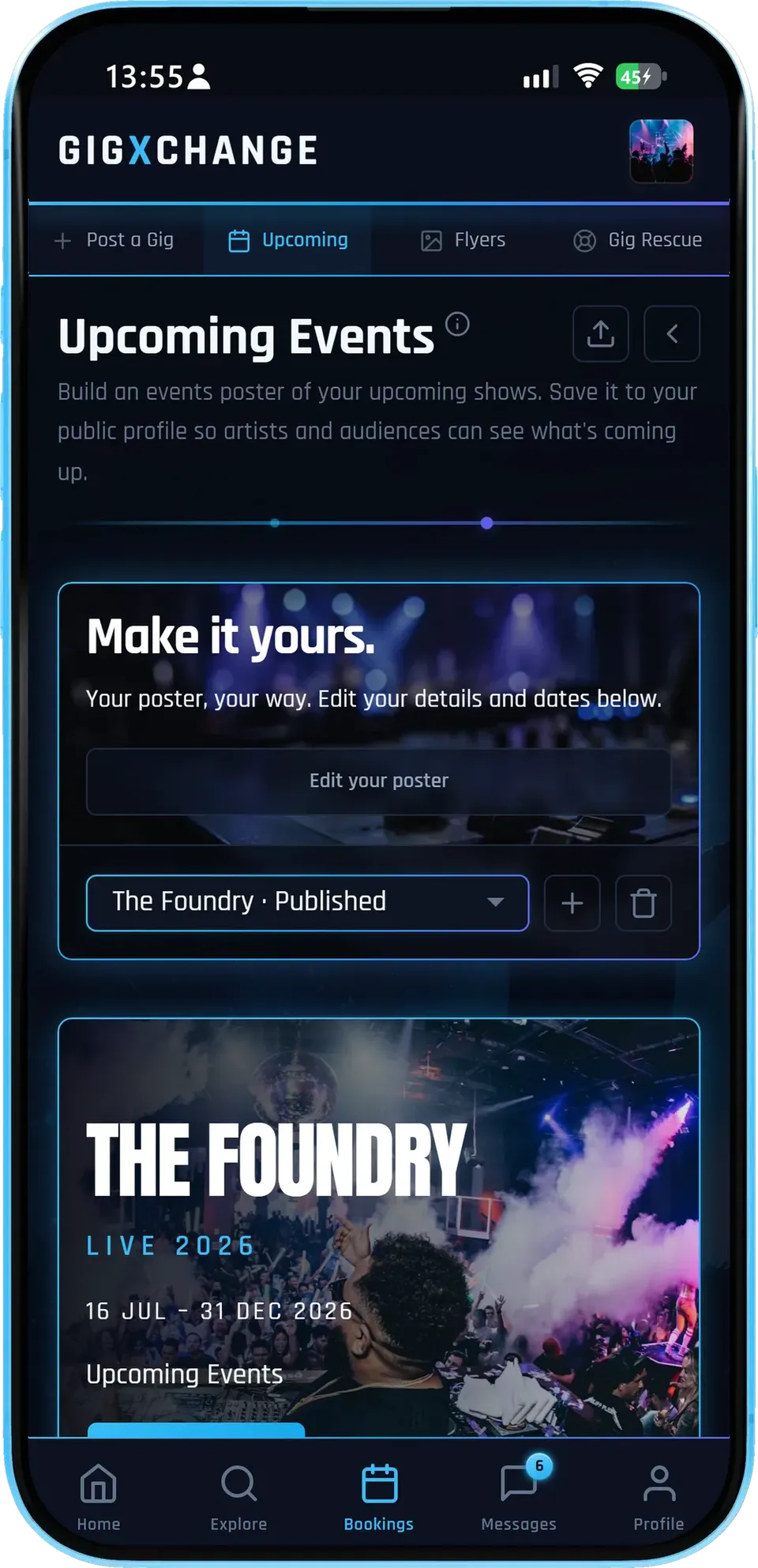
The dashboard shows your events poster with its title, dates and cover, and whether it is published or still a draft.
- ImportedUpcoming bookings import with their dates - refresh to pull in new ones.
- Edit the detailsSeason title, cover photo and dates, then publish.
- Drafts stay privateNothing is public until you press publish.
The Foundry's poster reads "Live 2026" across its season dates, published from the same dashboard where its bookings live.
- 02 / 04 Every night, one page
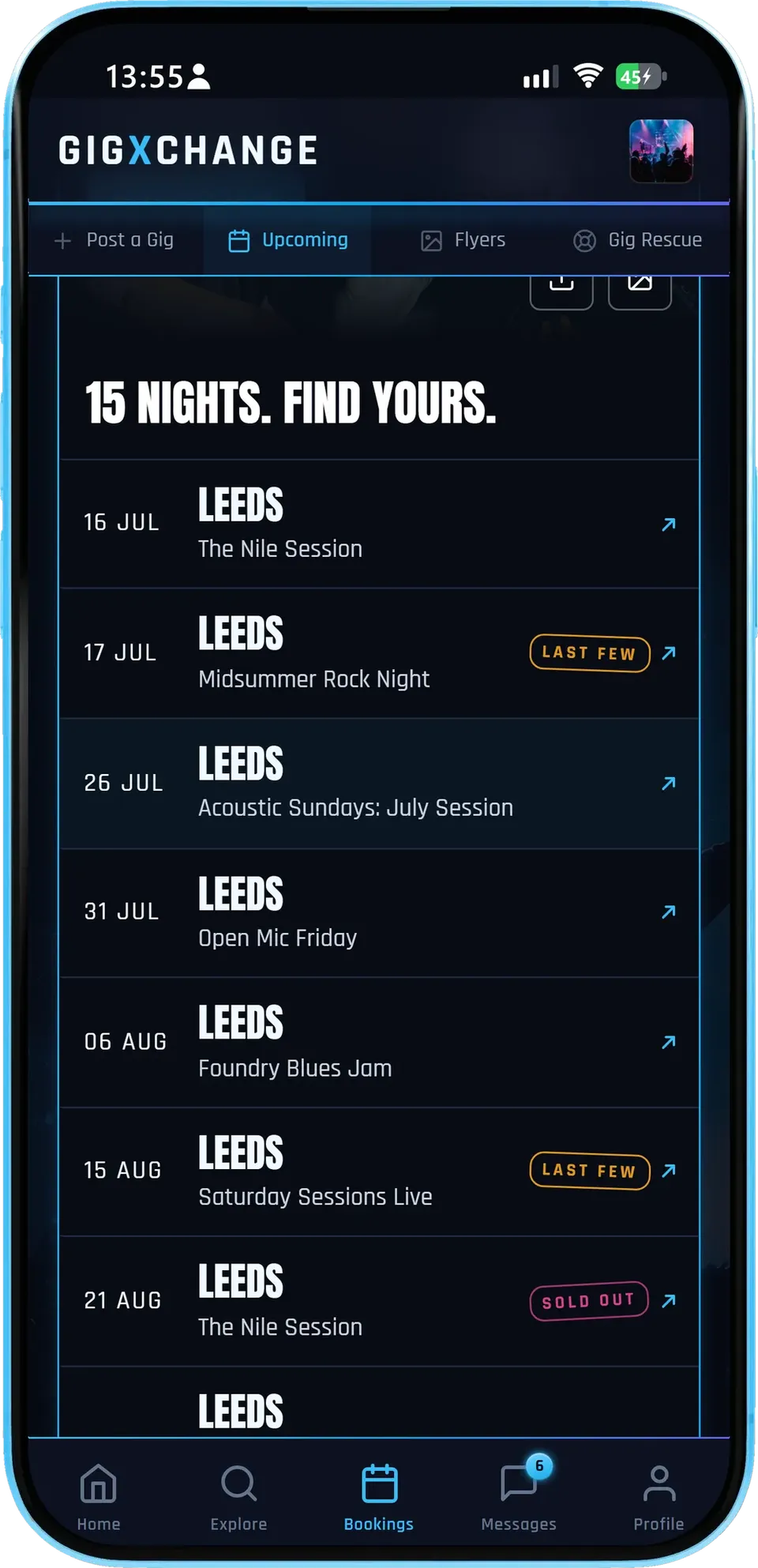
The page lists every upcoming night with its date and the act, plus a status badge and a ticket link wherever you have set one.
- Optional badgesOn sale, last few or sold out - set by you.
- Ticket linksGive a date its link and visitors tap straight to tickets.
- Add a showA gig booked elsewhere goes on in seconds.
Last-few and sold-out badges sit beside the nights still on sale, so a visitor sees at a glance what is selling and what to grab first.
- 03 / 04 On your own website
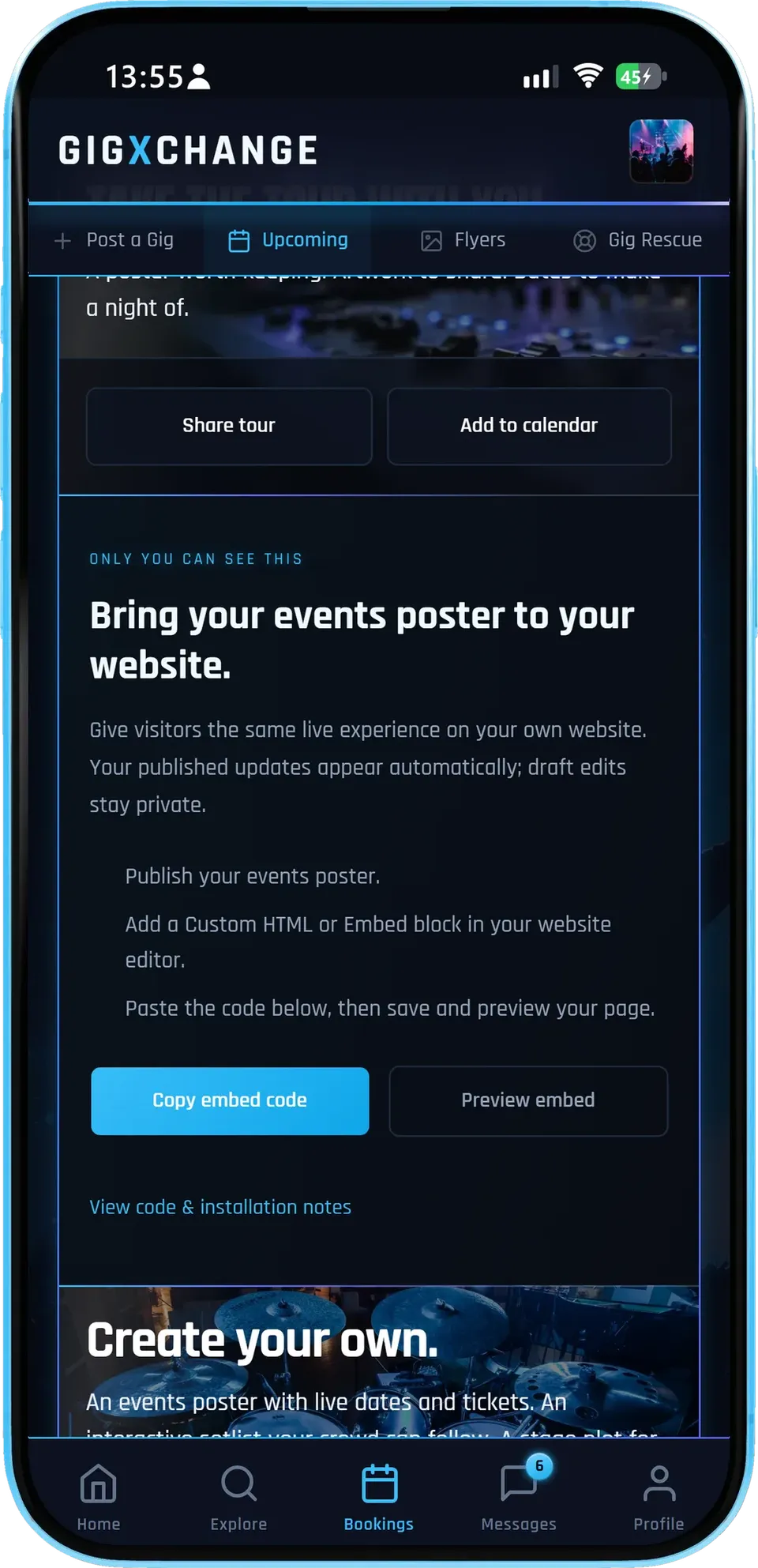
Copy one embed code, paste it into your website once, and the same live page appears there - preview it before you publish.
- One snippetPaste it once into any site that accepts HTML.
- Matches what you publishEvery republish shows up on your website too.
- Share and calendarThe same page has share and add-to-calendar buttons.
Your published updates appear on your website automatically and draft edits stay private, so your site shows exactly what you last published.
- 04 / 04 Pick a look
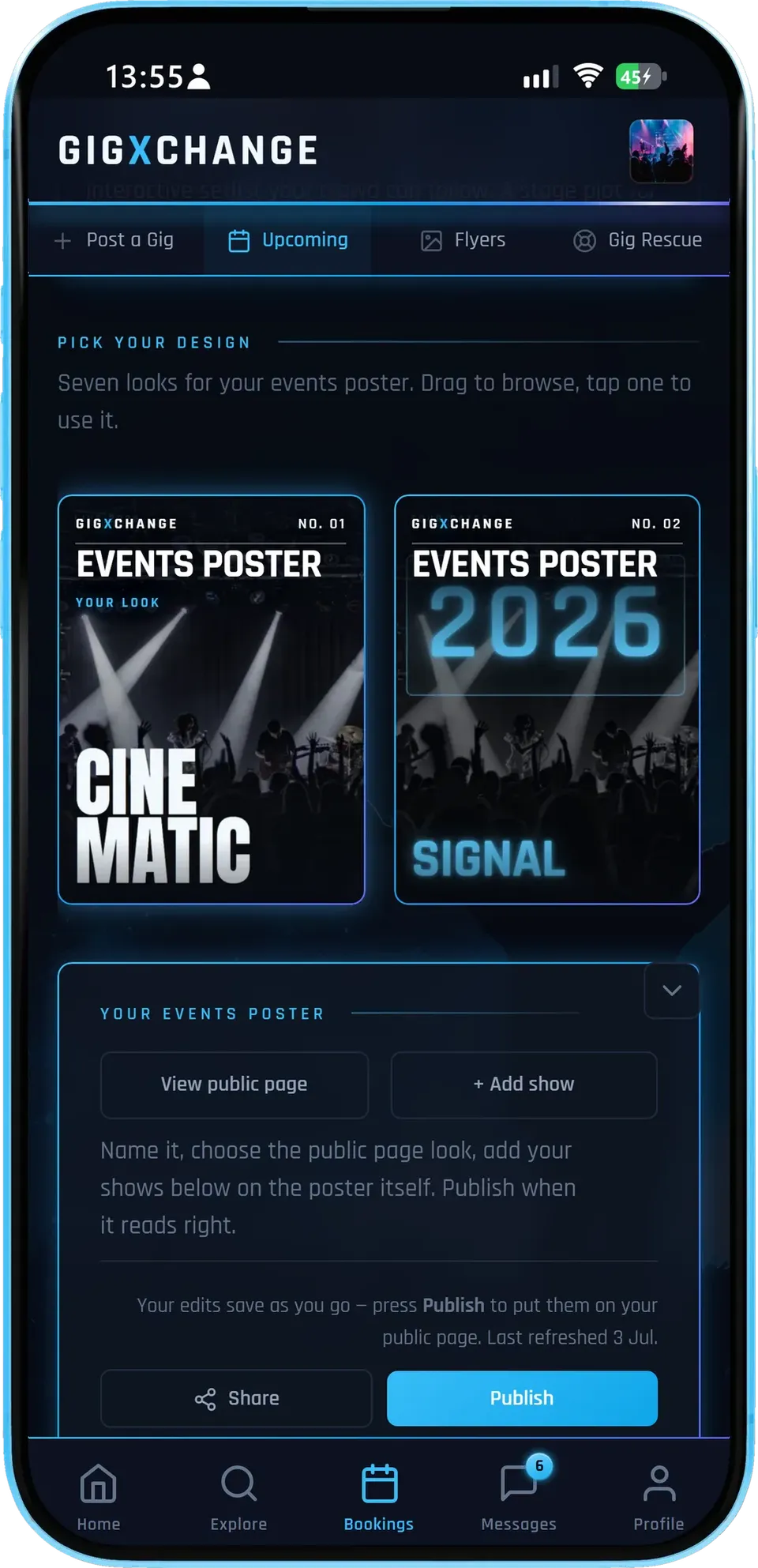
Browse the seven looks and tap one to use it; the whole page changes, and you can switch again any time.
- Seven looksCinematic, Signal, Marquee, Nightline, Edition, Monolith, Contact sheet.
- Your coverYour own photo carries every look.
- Publish when readyChange the look in draft, publish when you are happy.
The same seven looks power the artists' tour pages, so a venue's programme and the acts on it can share a visual language.
- 01 / 04
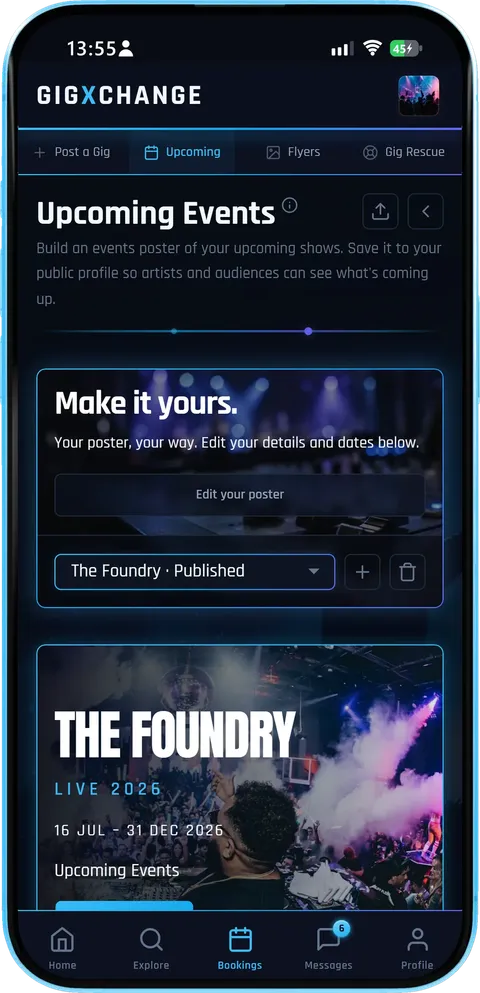 Your programme
The dashboard shows your events poster with its title, dates and cover, and whether it is published or still a draft.
- ImportedUpcoming bookings import with their dates - refresh to pull in new ones.
- Edit the detailsSeason title, cover photo and dates, then publish.
- Drafts stay privateNothing is public until you press publish.
The Foundry's poster reads "Live 2026" across its season dates, published from the same dashboard where its bookings live.
- 02 / 04
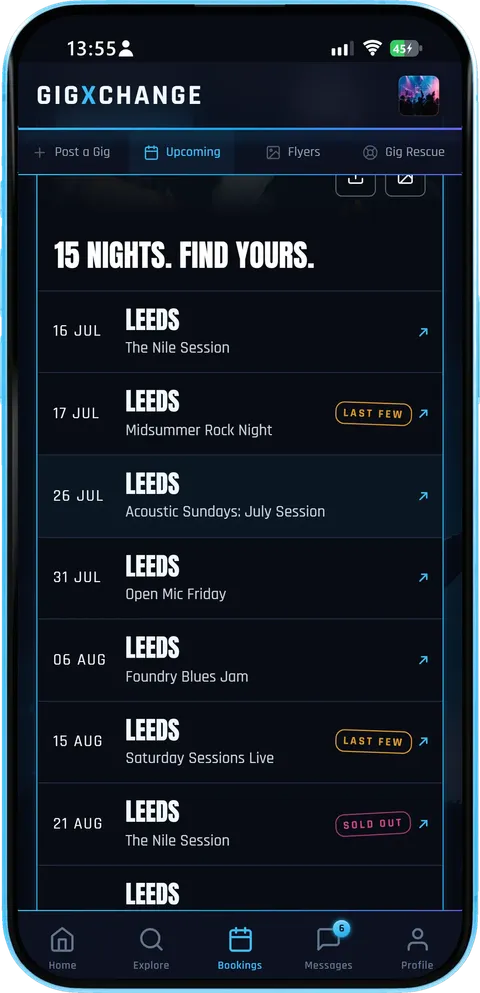 Every night, one page
The page lists every upcoming night with its date and the act, plus a status badge and a ticket link wherever you have set one.
- Optional badgesOn sale, last few or sold out - set by you.
- Ticket linksGive a date its link and visitors tap straight to tickets.
- Add a showA gig booked elsewhere goes on in seconds.
Last-few and sold-out badges sit beside the nights still on sale, so a visitor sees at a glance what is selling and what to grab first.
- 03 / 04
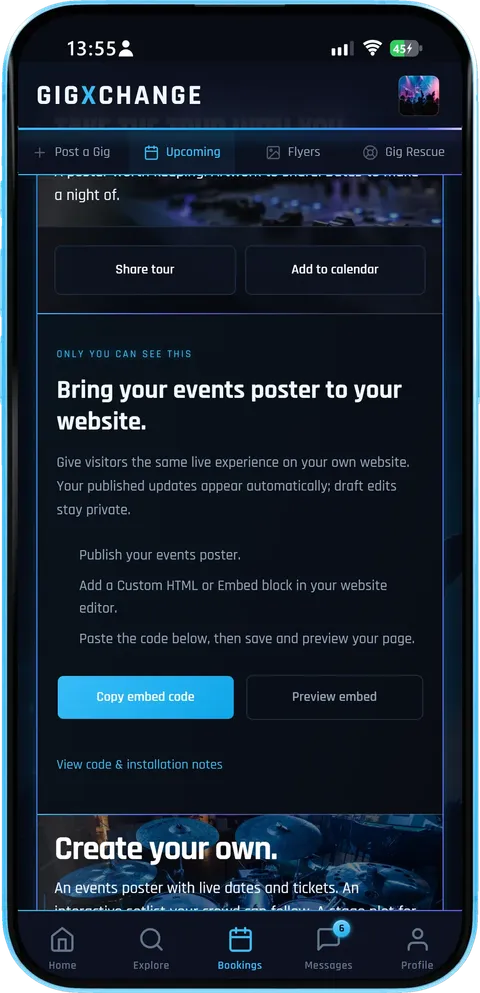 On your own website
Copy one embed code, paste it into your website once, and the same live page appears there - preview it before you publish.
- One snippetPaste it once into any site that accepts HTML.
- Matches what you publishEvery republish shows up on your website too.
- Share and calendarThe same page has share and add-to-calendar buttons.
Your published updates appear on your website automatically and draft edits stay private, so your site shows exactly what you last published.
- 04 / 04
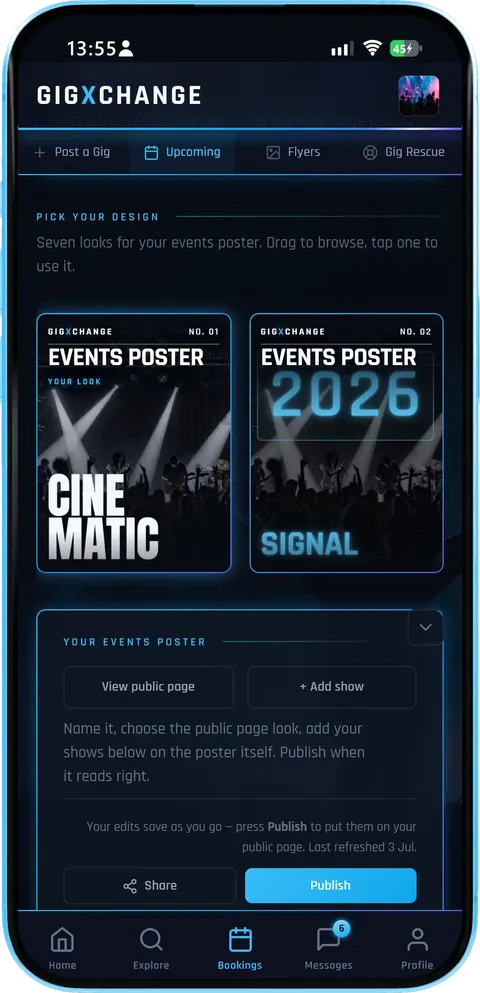 Pick a look
Browse the seven looks and tap one to use it; the whole page changes, and you can switch again any time.
- Seven looksCinematic, Signal, Marquee, Nightline, Edition, Monolith, Contact sheet.
- Your coverYour own photo carries every look.
- Publish when readyChange the look in draft, publish when you are happy.
The same seven looks power the artists' tour pages, so a venue's programme and the acts on it can share a visual language.
The Events Poster turns your booked programme into a live what’s-on page on your website in four short steps: import your bookings, pick a look, publish, and when the programme changes refresh and republish so the link and your website update together.
| 01 | ImportEvents flow inYour upcoming bookings import onto the poster with their dates and acts - refresh any time to pull in new ones, nothing retyped. |
| 02 | Brand itMake it yoursPick one of seven looks, set your season title and cover photo, and mark each date on sale, last few or sold out. |
| 03 | PublishShare it everywherePublish the live page, share its link, and paste the embed into your own website so visitors see what's on where they already look. |
| 04 | RefreshStays currentBook an act and refresh to import it, set or change a status, then republish - the shared link and your website update together. |
A capture of a venue's live events poster as its audience sees it, annotated: the programme, the status badges, the ticket links and the QR.
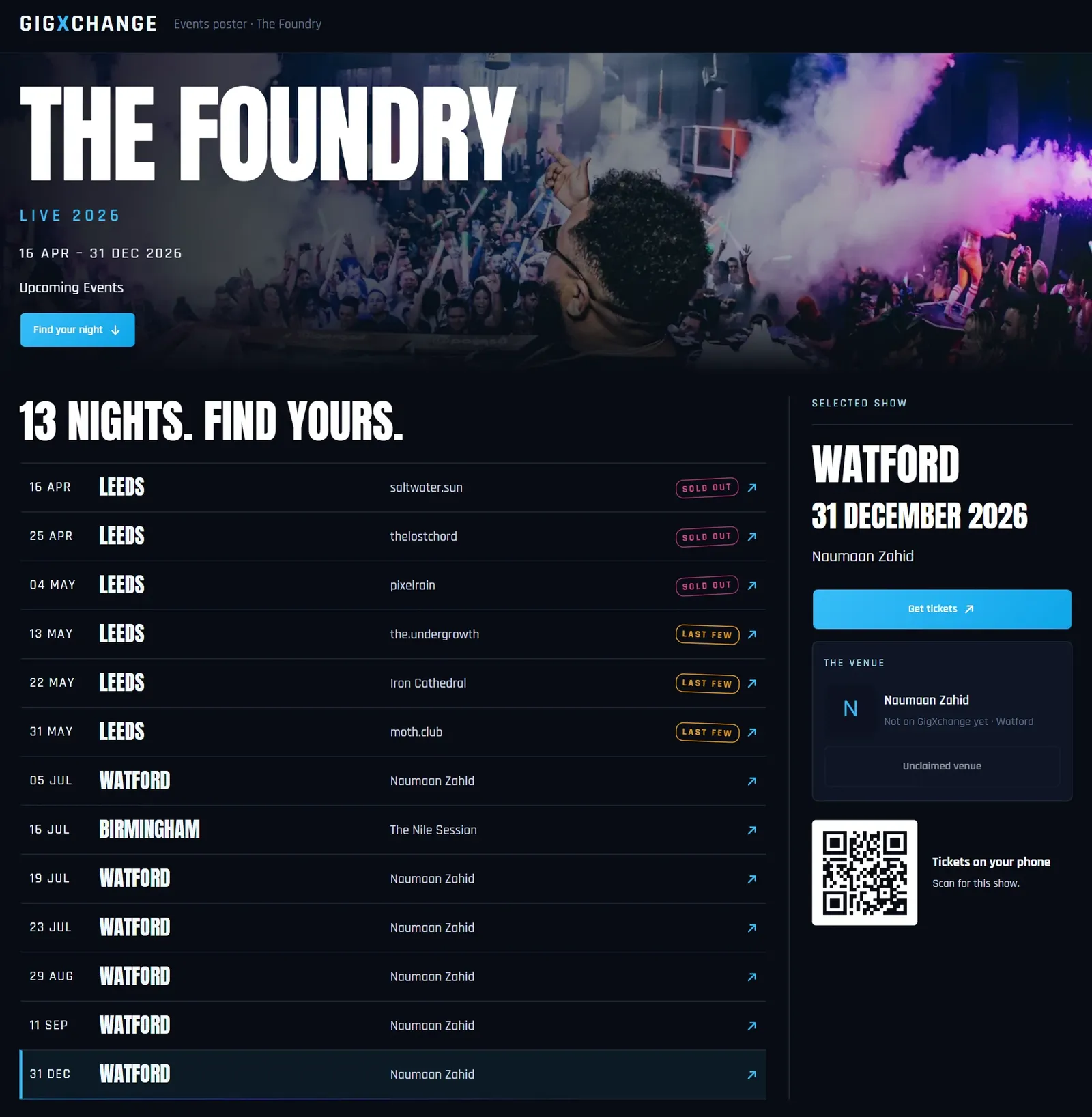
A capture of the live events poster for a demo venue. Yours lists your own nights, in any of the seven looks.
Make your events posterEverything on the poster is built for venues that programme more nights than they have hands to promote them: each gig shows its act and date, with a status badge and ticket link where you set them, without anyone redesigning the page.
| ImportedYour programme, posteredYour upcoming bookings import onto the page with their dates and acts; book another act, refresh to pull it in and republish. |
| DesignSeven looksCinematic, Signal, Marquee, Nightline, Edition, Monolith and Contact sheet - your venue name, season title and cover photo in every one. |
| Live pageA page, not a pictureThe poster is a live web page: visitors scroll the programme, open a date and tap through - nothing to print or re-export. |
| TicketsTicket links and QRsGive an upcoming date its ticket link and visitors tap straight through; the date view shows a QR for it - handy on a screen behind the bar. Sold-out and past dates switch the ticket button off. |
| UrgencyStatus badges that sellOn sale, last few, sold out - set by you per date. Sold-out badges do double duty as social proof for the dates still selling. |
| VisitorsShare and add to calendarVisitors can share the page or add a night to their own calendar in a tap, so a maybe becomes a plan. |
| ProfileOn your public profileThe published page sits on your GigXchange profile, where artists scouting rooms and audiences planning nights see what is coming up. |
| EmbedOn your own websitePaste one embed code into your site; every republish updates it there too, and drafts stay private until you publish. |
Import1
Your programme becomes the page. Your upcoming bookings import onto the page with their dates - nothing retyped
Imported from your upcoming bookings
Book another act - refresh to pull it in
Add a show by hand when you need to
Edit the details, then publish
Republish and every copy updates
| How it works | |
| Post a Gig | |
| Find out more | |
| Create a free venue profile |
Looks7
Designed, no designer. Cinematic, Signal, Marquee, Nightline, Edition, Monolith and Contact sheet - pick one and the whole page changes
Your venue name, season title and cover photo
Switch looks any time and republish
Optional status badges: on sale, last few, sold out
Sold-out nights double as social proof
The same seven looks artists use for tours
| How it works | |
| Flyer builder | |
| Find out more | |
| Create a free venue profile |
Your website1
One snippet, always current. Paste one embed code into your own site and the live page appears there - every republish updates it
A public page on GigXchange to share
An embed for your own website
Drafts stay private until you publish
A ticket link on any date that has one
Add-to-calendar for visitors
Share it in one tap
| How it works | |
| All embeds | |
| Find out more | |
| Create a free venue profile |
Cost, ever£0
Free — the marketplace pays for it. Every look, every republish, the embed - free forever
No subscriptions and no listing fees
No trial limits and no feature caps
GigXchange earns from its booking marketplace
Part of the full free venue toolkit
Post a Gig, Gig Rescue and compliance included
| All free tools | |
| For venues | |
| Find out more | |
| Create a free venue profile |
Get startedFree
Built into every venue profile. Sign up free, book the acts, publish the page - your programme does the rest
Sign up in about 30 seconds — no card
Lives in your dashboard beside your programme
Artists scouting rooms see your published posters
Free on iPhone, Android or any browser
| How it works | |
| All free tools | |
| Find out more | |
| Create a free venue profile |
A what’s-on poster fills rooms when it is treated as your cheapest ad space. These are the habits that make it earn: current dates, clear acts and times, and one tap through to tickets or details.
The poster is for people already in the room
The best audience for next Friday is the crowd having a good time this Friday. A current what's-on page on the screen by the bar converts that goodwill on the spot - and a date with a ticket link means "we should come to that" becomes a ticket before the round arrives. A stale poster does the opposite: it tells the room you stopped programming.
Status badges are your best copywriter
Nothing sells a Tuesday like sold out stamped on last Tuesday. The badges - on sale, last few, sold out - are yours to set per date, so the page carries the urgency you choose. "Last few" moves fence-sitters; a run of sold-out nights is a reputation printed in pink.
If it isn't easy, it doesn't happen
Every venue means to keep the what's-on poster current; almost none do, because rebuilding it in a design tool costs an hour nobody has. When the page imports itself from the programme, staying current stops being a discipline and becomes a refresh and a republish. Book an act through Post a Gig or Find an Artist and it is one refresh away from the page.
The profile is the poster that never comes down
Publishing the poster to your public GigXchange profile puts your programme where two audiences already look: punters planning a night, and artists deciding whether your room is worth pitching. A visibly busy programme is the strongest signal a venue can send the acts it wants to attract.
Put it where your audience already looks
Most venues keep a what's-on list on their own website that is a month out of date. The embed fixes that by construction: the page on your site is the published poster, so it is exactly as current as your last republish. Pair it with the Flyer Builder for single-night pushes, and keep the programme full with Find an Artist.
Every venue here can publish its programme as a live events page from the same free profile, so the gigs it books on GigXchange appear on its own website without anyone typing them twice.
Filling the dates on your poster is the next job, and 6 more venue tools help: post an open slot for artists to apply, invite ranked acts with Find an Artist, rescue a night with Gig Rescue, and check your licensing and compliance.
| For venuesPost a GigList an open slot in two minutes and take applications from gig-ready artists — full profiles and verified reviews attached. | |
| For venuesGX Gig RescueAct dropped out? Broadcast an urgent booking invite to up to 25 available acts — first to accept is booked. | |
| For venuesLicensing CheckerTen questions decode your venue’s music licensing — permission, copyright and cost, with official sources. | |
| For venuesCompliance ChecklistEight questions build your venue’s compliance board — law first, ten areas, every item linked to its official source. | |
| For venuesMartyn's Law ReadinessThe 2025 Act reaches every 200+ venue from ~2027 — six questions give your tier, your duties and a first-draft procedures PDF. | |
| For venuesFind an ArtistPick the empty date, set a 60-second brief, and invite up to 5 ranked best-fit acts with real booking invites. |
Where do the events come from, which looks can you pick, how do people get tickets and what do the status badges mean? Venues putting their programme online ask these first, along with whether the poster can sit on their own website.
| Post a gig | |
| Find an artist | |
| Flyer builder | |
| All embed widgets | |
| All free tools |
| GigXchange for venues | |
| Browse UK artists | |
| How to put on a gig | |
| How to start a club night |
| Create a free venue profile | |
| How it works |
Posting the programme before doors takes three things: sign up free, book the acts and publish the page. After that, when you book another act, refresh and republish and the page, the shared link and your website all update.

Your programme, on a poster
Your upcoming events become a live what's-on page in seven designed looks - optional status badges and ticket links, sharing and add-to-calendar built in, and an embed for your own website. Free with every GigXchange venue profile.


Last updated: 14 November 2026
How do you show what's on at your venue? One poster
GIGXCHANGE The Events Poster is a free live what's-on page for UK venues, built from their GigXchange programme. Your upcoming bookings import onto the poster with their dates attached, and you can add a show booked anywhere else by hand. Give each date its ticket link and a status - on sale, last few or sold out, set by you, never guessed - and visitors tap the night they want and land on tickets, with a QR for each date on screen. Pick one of seven looks, publish, and paste the embed into your own site once: every time you republish, it shows the new version.
The worked example below is a capture of a live events poster, annotated.
Walk the poster
The real Events Poster in the GigXchange app, step by step: from the gigs in your venue programme to a live what’s-on page you can share and place on your own website.
Every venue means to keep its what's-on list current, and almost none do, because rebuilding a poster or a web page for each new booking costs time nobody has. The Events Poster removes the rebuilding: the page imports the programme you already keep on GigXchange, and you republish when it changes.
Below is the real thing, screen by screen, for The Foundry - a venue with a full season published - from the dashboard to the embed that puts the same live page on the venue's own website.
- 01 / 04
Your programme
The dashboard shows your events poster with its title, dates and cover, and whether it is published or still a draft.
- ImportedUpcoming bookings import with their dates - refresh to pull in new ones.
- Edit the detailsSeason title, cover photo and dates, then publish.
- Drafts stay privateNothing is public until you press publish.
The Foundry's poster reads "Live 2026" across its season dates, published from the same dashboard where its bookings live.
- 02 / 04
Every night, one page
The page lists every upcoming night with its date and the act, plus a status badge and a ticket link wherever you have set one.
- Optional badgesOn sale, last few or sold out - set by you.
- Ticket linksGive a date its link and visitors tap straight to tickets.
- Add a showA gig booked elsewhere goes on in seconds.
Last-few and sold-out badges sit beside the nights still on sale, so a visitor sees at a glance what is selling and what to grab first.
- 03 / 04
On your own website
Copy one embed code, paste it into your website once, and the same live page appears there - preview it before you publish.
- One snippetPaste it once into any site that accepts HTML.
- Matches what you publishEvery republish shows up on your website too.
- Share and calendarThe same page has share and add-to-calendar buttons.
Your published updates appear on your website automatically and draft edits stay private, so your site shows exactly what you last published.
- 04 / 04
Pick a look
Browse the seven looks and tap one to use it; the whole page changes, and you can switch again any time.
- Seven looksCinematic, Signal, Marquee, Nightline, Edition, Monolith, Contact sheet.
- Your coverYour own photo carries every look.
- Publish when readyChange the look in draft, publish when you are happy.
The same seven looks power the artists' tour pages, so a venue's programme and the acts on it can share a visual language.
- 01 / 04
Your programme
The dashboard shows your events poster with its title, dates and cover, and whether it is published or still a draft.
- ImportedUpcoming bookings import with their dates - refresh to pull in new ones.
- Edit the detailsSeason title, cover photo and dates, then publish.
- Drafts stay privateNothing is public until you press publish.
The Foundry's poster reads "Live 2026" across its season dates, published from the same dashboard where its bookings live.
- 02 / 04
Every night, one page
The page lists every upcoming night with its date and the act, plus a status badge and a ticket link wherever you have set one.
- Optional badgesOn sale, last few or sold out - set by you.
- Ticket linksGive a date its link and visitors tap straight to tickets.
- Add a showA gig booked elsewhere goes on in seconds.
Last-few and sold-out badges sit beside the nights still on sale, so a visitor sees at a glance what is selling and what to grab first.
- 03 / 04
On your own website
Copy one embed code, paste it into your website once, and the same live page appears there - preview it before you publish.
- One snippetPaste it once into any site that accepts HTML.
- Matches what you publishEvery republish shows up on your website too.
- Share and calendarThe same page has share and add-to-calendar buttons.
Your published updates appear on your website automatically and draft edits stay private, so your site shows exactly what you last published.
- 04 / 04
Pick a look
Browse the seven looks and tap one to use it; the whole page changes, and you can switch again any time.
- Seven looksCinematic, Signal, Marquee, Nightline, Edition, Monolith, Contact sheet.
- Your coverYour own photo carries every look.
- Publish when readyChange the look in draft, publish when you are happy.
The same seven looks power the artists' tour pages, so a venue's programme and the acts on it can share a visual language.
How it works
The Events Poster turns your booked programme into a live what’s-on page on your website in four short steps: import your bookings, pick a look, publish, and when the programme changes refresh and republish so the link and your website update together.
Events flow in
Your upcoming bookings import onto the poster with their dates and acts - refresh any time to pull in new ones, nothing retyped.
Make it yours
Pick one of seven looks, set your season title and cover photo, and mark each date on sale, last few or sold out.
Share it everywhere
Publish the live page, share its link, and paste the embed into your own website so visitors see what's on where they already look.
Stays current
Book an act and refresh to import it, set or change a status, then republish - the shared link and your website update together.
Worked example
A capture of a venue's live events poster as its audience sees it, annotated: the programme, the status badges, the ticket links and the QR.
A capture of the live events poster for a demo venue. Yours lists your own nights, in any of the seven looks.
Make your events posterEverything on the poster
Everything on the poster is built for venues that programme more nights than they have hands to promote them: each gig shows its act and date, with a status badge and ticket link where you set them, without anyone redesigning the page.
Your programme, postered
Your upcoming bookings import onto the page with their dates and acts; book another act, refresh to pull it in and republish.
Seven looks
Cinematic, Signal, Marquee, Nightline, Edition, Monolith and Contact sheet - your venue name, season title and cover photo in every one.
A page, not a picture
The poster is a live web page: visitors scroll the programme, open a date and tap through - nothing to print or re-export.
Ticket links and QRs
Give an upcoming date its ticket link and visitors tap straight through; the date view shows a QR for it - handy on a screen behind the bar. Sold-out and past dates switch the ticket button off.
Status badges that sell
On sale, last few, sold out - set by you per date. Sold-out badges do double duty as social proof for the dates still selling.
Share and add to calendar
Visitors can share the page or add a night to their own calendar in a tap, so a maybe becomes a plan.
On your public profile
The published page sits on your GigXchange profile, where artists scouting rooms and audiences planning nights see what is coming up.
On your own website
Paste one embed code into your site; every republish updates it there too, and drafts stay private until you publish.
What makes a what's-on poster that fills rooms
A what’s-on poster fills rooms when it is treated as your cheapest ad space. These are the habits that make it earn: current dates, clear acts and times, and one tap through to tickets or details.
The poster is for people already in the room
The best audience for next Friday is the crowd having a good time this Friday. A current what's-on page on the screen by the bar converts that goodwill on the spot - and a date with a ticket link means "we should come to that" becomes a ticket before the round arrives. A stale poster does the opposite: it tells the room you stopped programming.
Status badges are your best copywriter
Nothing sells a Tuesday like sold out stamped on last Tuesday. The badges - on sale, last few, sold out - are yours to set per date, so the page carries the urgency you choose. "Last few" moves fence-sitters; a run of sold-out nights is a reputation printed in pink.
If it isn't easy, it doesn't happen
Every venue means to keep the what's-on poster current; almost none do, because rebuilding it in a design tool costs an hour nobody has. When the page imports itself from the programme, staying current stops being a discipline and becomes a refresh and a republish. Book an act through Post a Gig or Find an Artist and it is one refresh away from the page.
The profile is the poster that never comes down
Publishing the poster to your public GigXchange profile puts your programme where two audiences already look: punters planning a night, and artists deciding whether your room is worth pitching. A visibly busy programme is the strongest signal a venue can send the acts it wants to attract.
Put it where your audience already looks
Most venues keep a what's-on list on their own website that is a month out of date. The embed fixes that by construction: the page on your site is the published poster, so it is exactly as current as your last republish. Pair it with the Flyer Builder for single-night pushes, and keep the programme full with Find an Artist.
Venues already on GigXchange
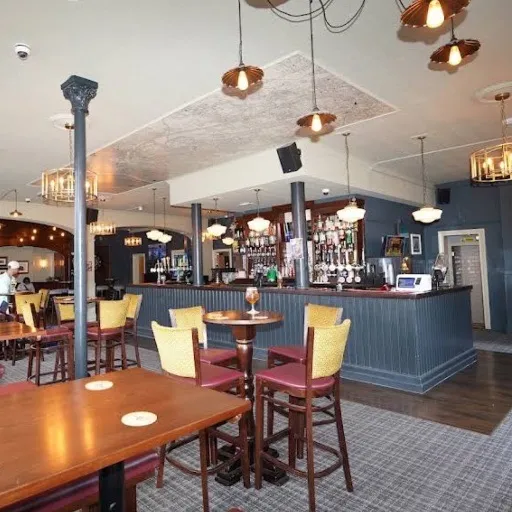
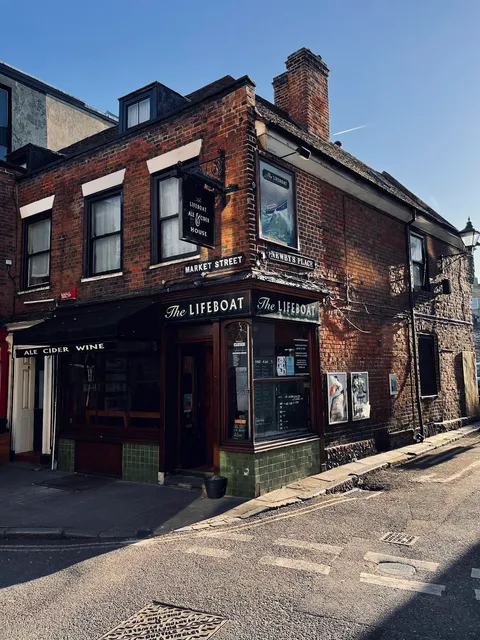
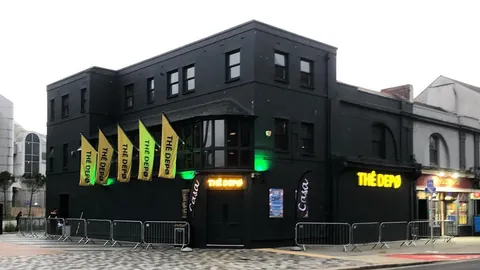
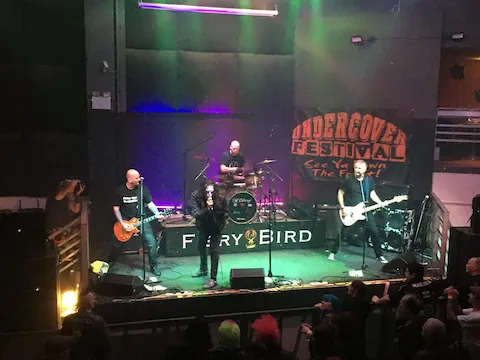
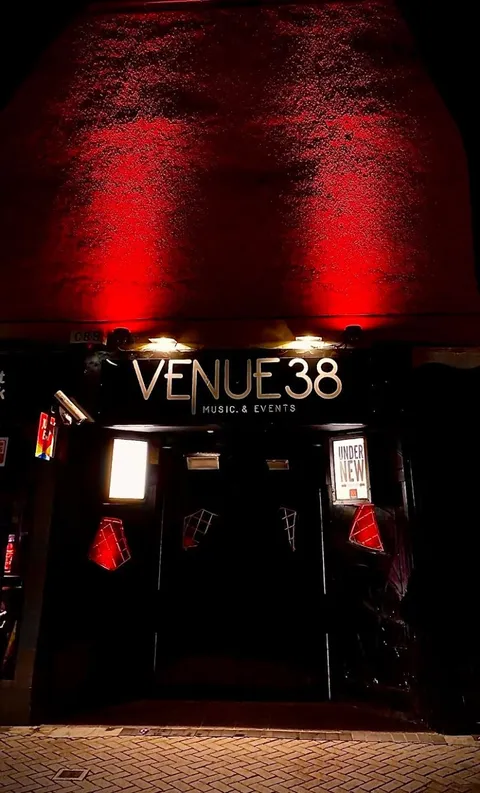
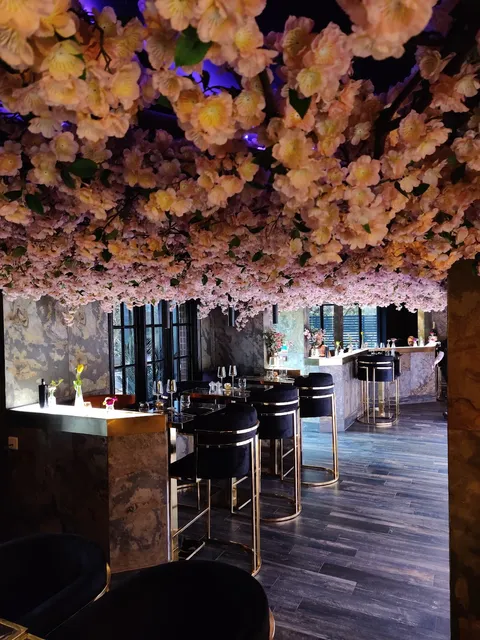
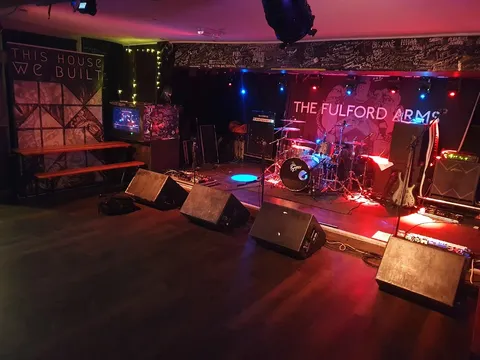
Every venue here can publish its programme as a live events page from the same free profile, so the gigs it books on GigXchange appear on its own website without anyone typing them twice.





Browse the UK venue directory · GigXchange for venues · Create a free venue profile



More free tools for venues
6 more tools for running a venue, all free with a venue profile, including the Post a Gig, GX Gig Rescue and Licensing Checker. None of them needs a card, a trial or a paid plan, and each one is built around how UK venues book, promote and run live music.
Post a Gig
List an open slot in two minutes and take applications from gig-ready artists — full profiles and verified reviews attached.
GX Gig Rescue
Act dropped out? Broadcast an urgent booking invite to up to 25 available acts — first to accept is booked.
Licensing Checker
Ten questions decode your venue’s music licensing — permission, copyright and cost, with official sources.
Compliance Checklist
Eight questions build your venue’s compliance board — law first, ten areas, every item linked to its official source.
Martyn's Law Readiness
The 2025 Act reaches every 200+ venue from ~2027 — six questions give your tier, your duties and a first-draft procedures PDF.
Find an Artist
Pick the empty date, set a 60-second brief, and invite up to 5 ranked best-fit acts with real booking invites.
Frequently asked questions
Where do the events come from, which looks can you pick, how do people get tickets and what do the status badges mean? Venues putting their programme online ask these first, along with whether the poster can sit on their own website.
Poster the programme before doors
Posting the programme before doors takes three things: sign up free, book the acts and publish the page. After that, when you book another act, refresh and republish and the page, the shared link and your website all update.