Free tool · For venues
Pick the night, set a 60-second brief, and GigXchange returns ranked best-fit acts — fit scores, fee bands, kit tags — then sends real booking invites, not cold DMs. Free with every venue and promoter profile.
Updated 14 November 2026
GIGXCHANGE Find an Artist is a free matching tool for UK venues and promoters that ranks the best-fit acts for one date. Pick the date you need to fill, set a short brief - city, budget, act type and must-have kit like PA, lights or transport - and get back a ranked list of real artist profiles; nothing you spend changes the order. Pick a few and each one gets a real booking invite with the date, your fee, times and set length, landing in their bookings with a notification; a review step shows exactly what goes out first. Invites are capped per batch, per day and per week, so artists treat them as real.
The worked example below walks the real Find an Artist screens, step by step.
| 03Walk the searchThe real app, screen by screen | |
| 04How it worksThe steps, start to finish | |
| 05Worked exampleThe real screens, annotated | |
| 06Everything in the matchEverything the tool does | |
| 08Why ranked invites beat the directory crawlThe background, in plain English | |
| 09Venues already on GigXchangeReal venues already on GigXchange | |
| 10More free tools for venuesThe other free tools | |
| 11Frequently asked questionsMatching, invites, caps |
The real Find an Artist in the GigXchange app, screen by screen: pick the empty date, set a short brief about the night, and invite the acts that fit it best from a ranked list.
Most venues fill dates by scrolling, messaging and waiting. Find an Artist turns it round: you start from the empty date, say what you need in a 60-second brief, and GigXchange ranks the acts who fit - free that night, in your area, inside your budget - so you invite a handful of the right ones instead of chasing everyone.
Below are the first screens of the real thing in the GigXchange app, where every search starts from the date. The ranked shortlist itself is in the example picture above.
- 01 / 03 Start from the date
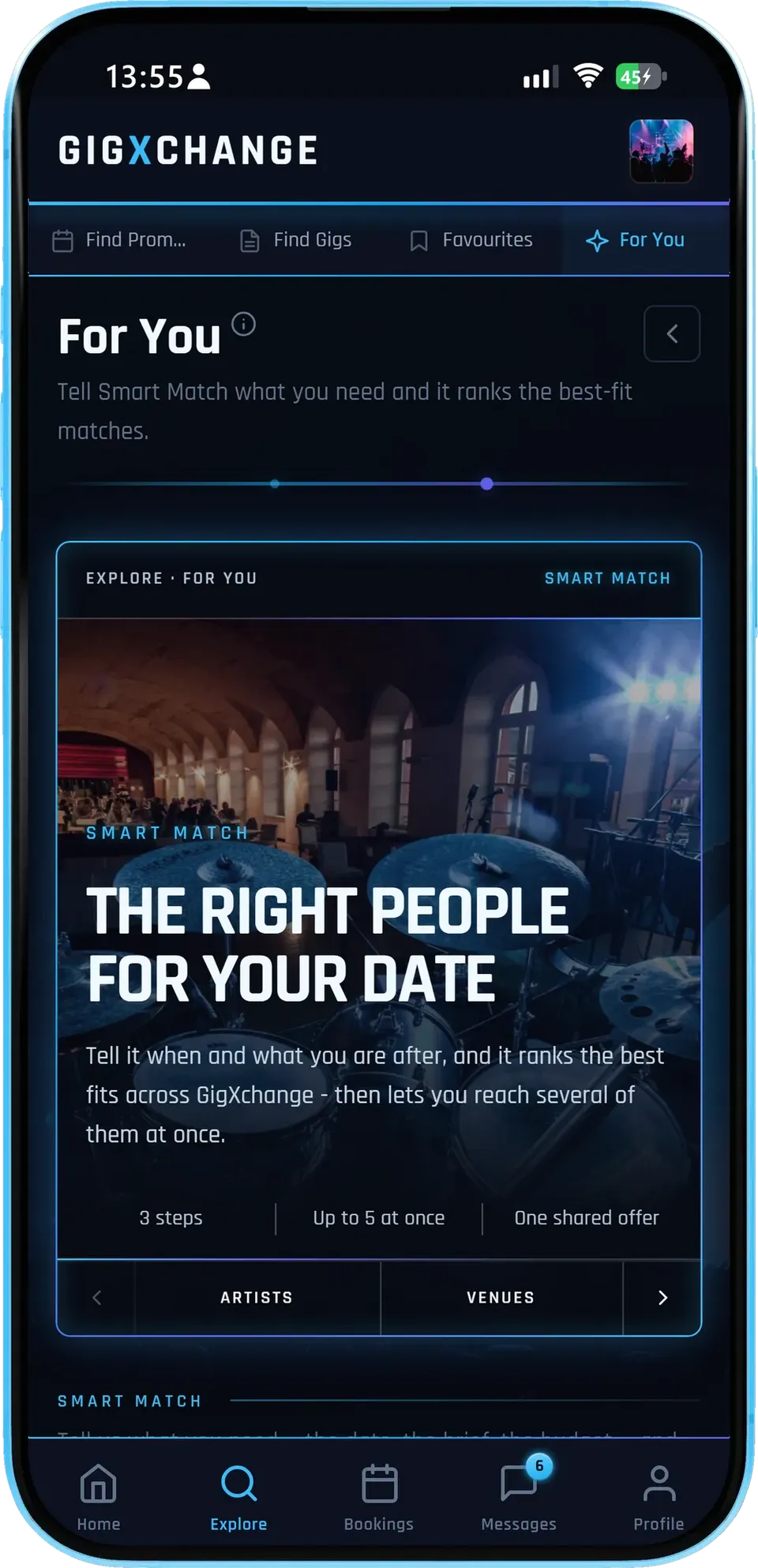
Tell it when and what you are after; it ranks the best fits across GigXchange and lets you invite several of them at once.
- Three stepsWhen, what and who - nothing else to fill in.
- Up to 5 at onceOne brief, a handful of real booking invites.
- One shared offerEveryone invited sees the same fee and terms.
Each search sends real booking invites, not messages, so an act who accepts is booked on the terms you set.
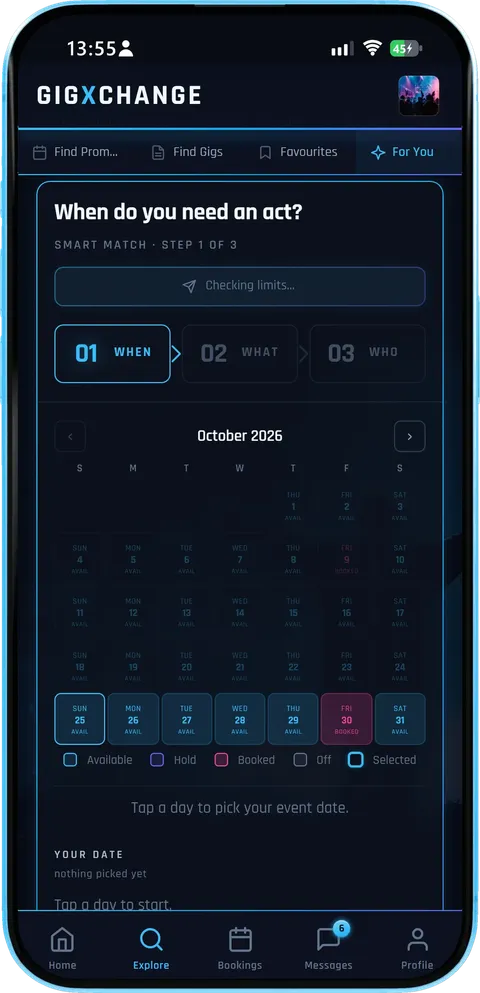
- 02 / 03 Pick the date
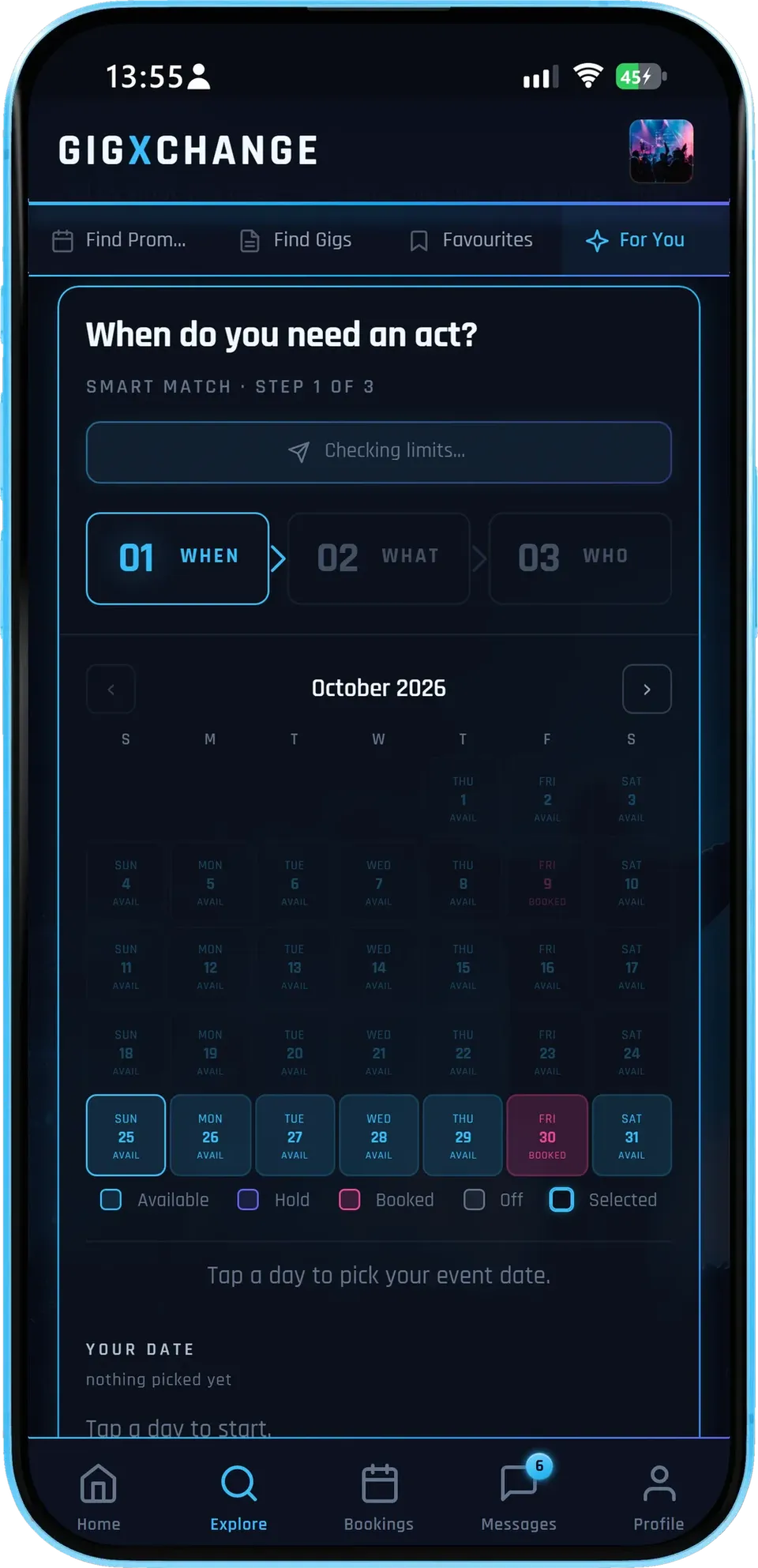
Tap the day on your own availability calendar - booked, held and off nights are marked, so you only pick a night that is genuinely free.
- Your calendarAvailable, hold, booked and off, at a glance.
- One date at a timeEach search is for one night, so the matches are free that night.
- Then the briefArea, budget and act type come next.
Starting from the date is what makes the matches useful: the shortlist only includes acts whose own calendars say they are free that night.
- 03 / 03 How it works
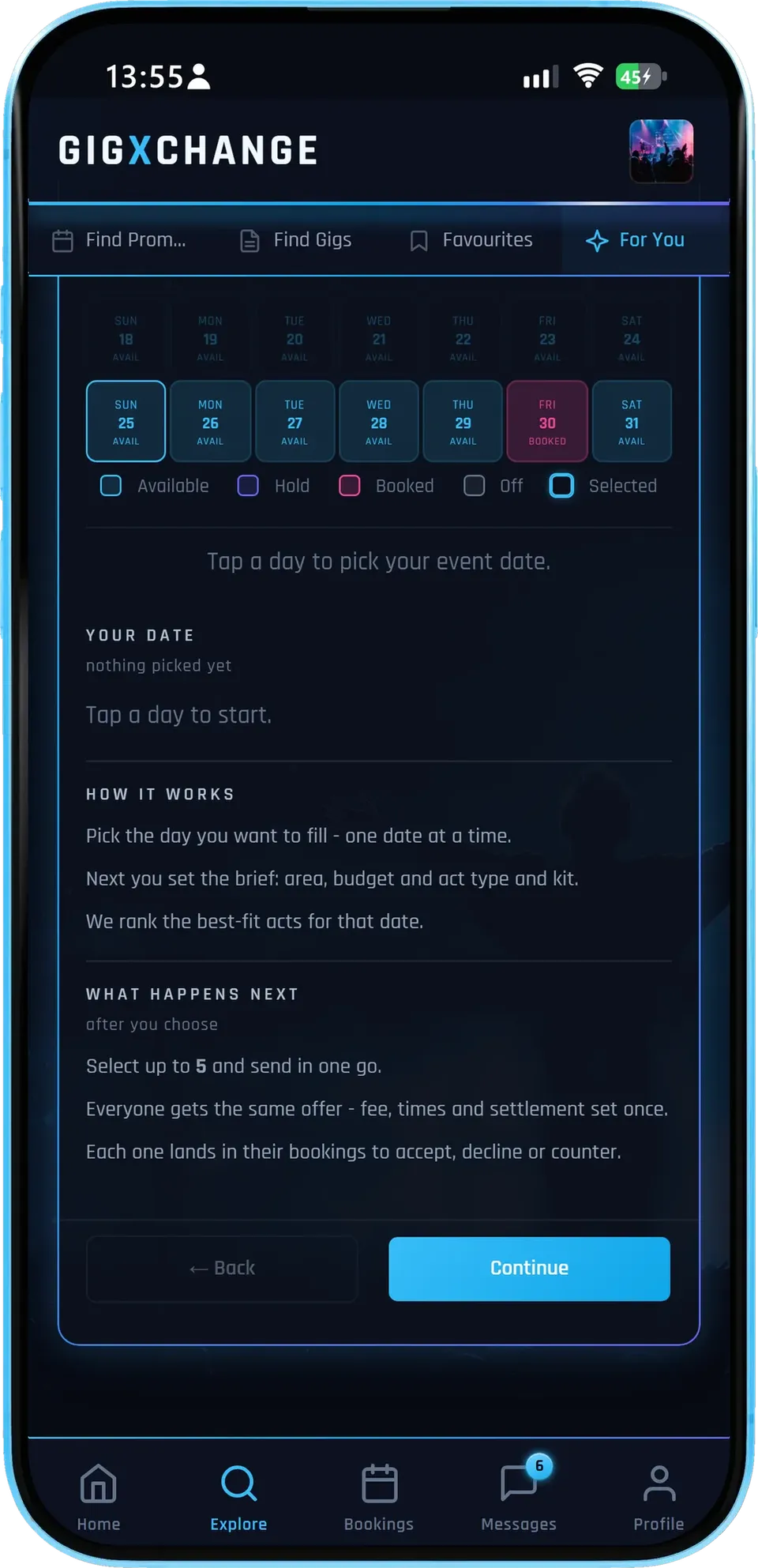
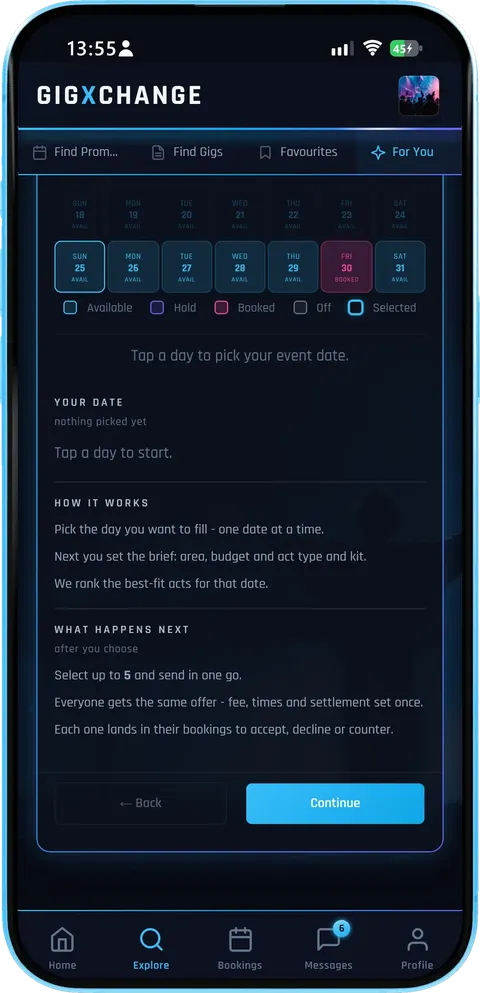
Pick the day, set the brief, and the best-fit acts are ranked for that date; then select up to 5 and send them in one go.
- The same offerEveryone gets the same offer - fee, times and settlement.
- Into your bookingsThe first act to accept is booked and the other invites close.
- Caps that keep it fair5 a batch, 10 a day, 25 a week, with a 14-day cooldown per act.
Invites expire once the gig date has passed, so a search never leaves a date in limbo - re-run it with a wider brief, or post the slot as a listing instead.
- 01 / 03
 Start from the date
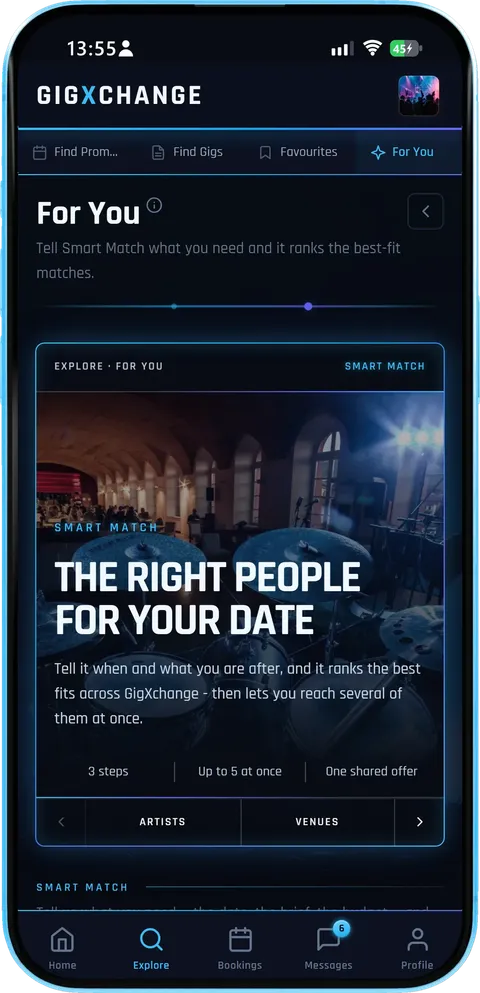
Tell it when and what you are after; it ranks the best fits across GigXchange and lets you invite several of them at once.
- Three stepsWhen, what and who - nothing else to fill in.
- Up to 5 at onceOne brief, a handful of real booking invites.
- One shared offerEveryone invited sees the same fee and terms.
Each search sends real booking invites, not messages, so an act who accepts is booked on the terms you set.
- 02 / 03
 Pick the date
Tap the day on your own availability calendar - booked, held and off nights are marked, so you only pick a night that is genuinely free.
- Your calendarAvailable, hold, booked and off, at a glance.
- One date at a timeEach search is for one night, so the matches are free that night.
- Then the briefArea, budget and act type come next.
Starting from the date is what makes the matches useful: the shortlist only includes acts whose own calendars say they are free that night.
- 03 / 03
 How it works
Pick the day, set the brief, and the best-fit acts are ranked for that date; then select up to 5 and send them in one go.
- The same offerEveryone gets the same offer - fee, times and settlement.
- Into your bookingsThe first act to accept is booked and the other invites close.
- Caps that keep it fair5 a batch, 10 a day, 25 a week, with a 14-day cooldown per act.
Invites expire once the gig date has passed, so a search never leaves a date in limbo - re-run it with a wider brief, or post the slot as a listing instead.
Find an Artist takes a venue from an empty date to booking invites in four short steps: pick the date, describe the night, review the ranked acts and send the invites, all in the time a programmer actually has.
| 01 | WhenPick the dateThe wizard opens on your calendar — anchor the search to the actual night you need to fill. |
| 02 | WhatSet the briefCity, budget range, act type — and must-have toggles for PA, lights and transport if your room needs a self-contained act. |
| 03 | WhoPick from ranked actsBest-fit artists arrive scored, with genres, experience and fee bands. Select up to 5 — recently-invited acts are locked until their cooldown ends. |
| 04 | InviteReview, then sendCheck the exact invite each act receives, tune the fee and terms, send. Each lands as a pending booking, open until the gig date. |
The real Find an Artist screens in the GigXchange app, annotated: pick the date, set a short brief, then pick who to invite from the ranked matches. Pick a screen from the strip to see it.
When do you need an act?
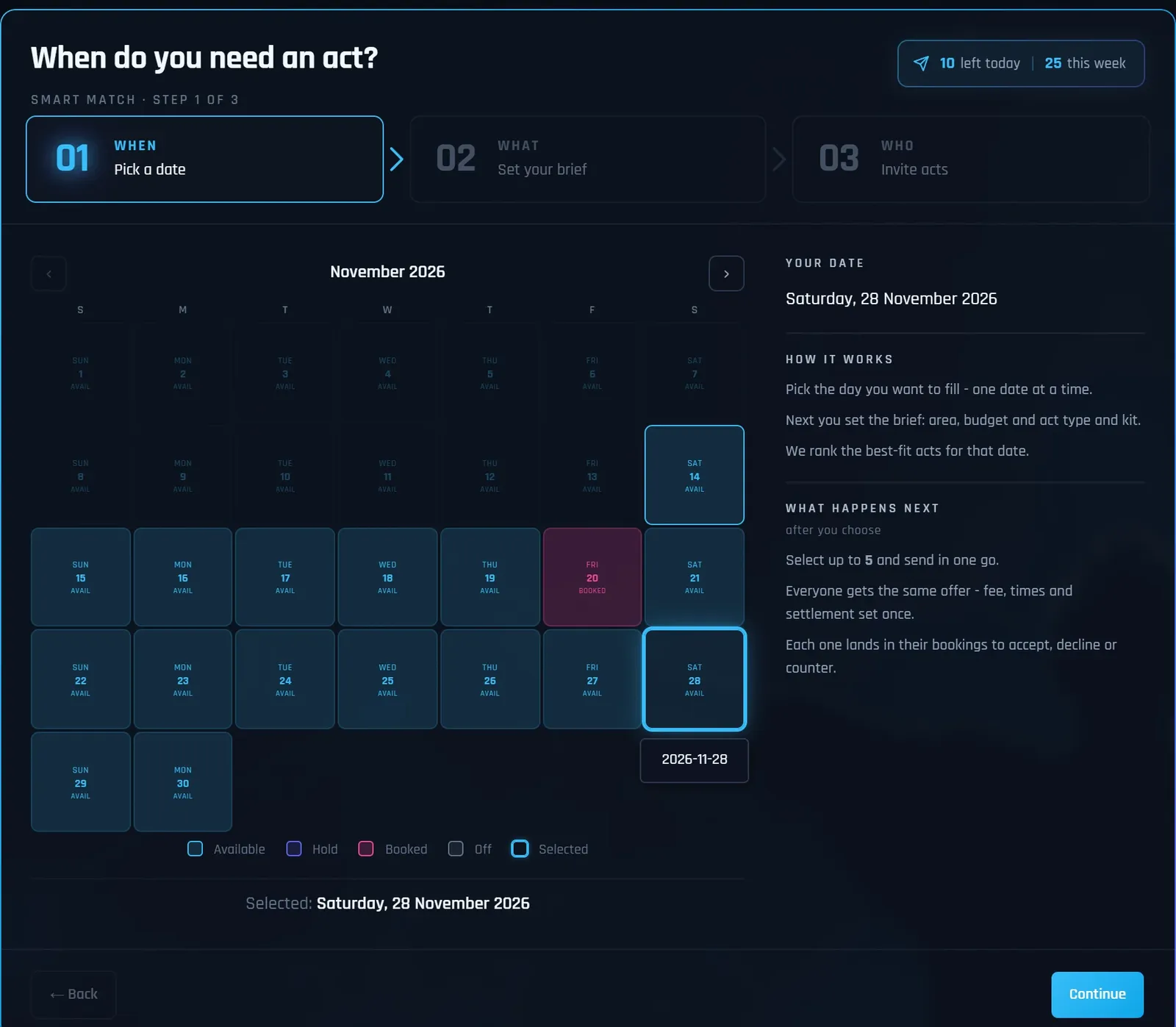
Real screens from the GigXchange app, on a demo venue account, showing demo acts only; nothing was sent.
Find your artistEverything in a match is built for programmers who know exactly which night is empty and do not have an evening to spend filling it: ranked acts, the reasons they fit, and fees and dates up front.
| Step 1Start from the empty datePick the night you need to fill from your calendar — the search is anchored to a real date from the first click. |
| Step 2A 60-second briefCity, budget range, act type — plus must-have toggles for PA, lights and transport, so self-contained acts surface when your room needs them. |
| Step 3Ranked, scored actsBest-fit artists come back ranked with a fit score, genres, experience, kit tags and fee bands — a shortlist, not a directory to trawl. |
| ReviewSee the invite before it sendsA pre-send review shows exactly what each act receives — fee, times, set length, equipment, notes — editable before anything goes out. |
| DispatchReal booking invitesEach invite lands in the act’s bookings queue with a notification — inside the same flow that carries the contract and protected payment. |
| UrgencyInvites with a deadlineEvery invite is for a real date and expires once that day has passed, so acts see a live request, never a stale one. |
| Both waysArtists run it in reverseActs use the same wizard to pitch venues for their free dates — so your open dates can fill from both directions. |
| Anti-spamCaps keep answers comingUp to 5 acts per batch, 10 a day, 25 a week, with a 14-day cooldown per act — invites stay signal, so artists keep responding to them. |
Three steps3
Date, brief, invite. Pick the empty date, set a 60-second brief, and invite from the ranked shortlist
The brief: genre, budget, radius, kit
Acts scored for fit before you contact anyone
Fee bands set expectations up front
Kit tags say who brings what
The band preview is the real result screen
| How it works | |
| Post a gig instead | |
| Find out more | |
| Create a free venue profile |
Acts per batch5
A shortlist, not a directory. Up to 5 ranked best-fit acts per batch — stop scrolling directories, start inviting
Availability checked against real calendars
Verified reviews attached to every act
Full profiles: music, photos, past gigs
Invite the batch in one action
First to accept can be booked on the spot
| How it works | |
| Browse UK artists | |
| Find out more | |
| Create a free venue profile |
Invite windowGig day
Invites with a real deadline. Each invite stays open until the gig date — acts answer or it expires, no chasing
No ghosted threads to follow up
Accepted invites become real bookings
Contract and payment protection included
Declines free the slot for the next batch
| How it works | |
| GX Gig Rescue | |
| Find out more | |
| Create a free venue profile |
Cost, ever£0
Free — the marketplace pays for it. Every match, every batch, every invite — free forever
No subscriptions and no listing fees
No commission and no agency finder fee
GigXchange earns from its booking marketplace
Part of the full free venue toolkit
| All free tools | |
| For venues | |
| Find out more | |
| Create a free venue profile |
Get startedFree
Built into every venue profile. Sign up free, pick the empty date, run your first match
Sign up in about 30 seconds — no card
Promoters get it too, not just venues
Lives beside Post a Gig and Gig Rescue
Free on iPhone, Android or any browser
| How it works | |
| All free tools | |
| Find out more | |
| Create a free venue profile |
Ranked invites beat the directory crawl because a directory shows you everyone while a match shows you who fits Tuesday: the acts free on that date, in your style and budget, with the best fits first.
Fit is multi-dimensional — your evening isn't
Booking an act means solving genre, budget, distance, kit and availability simultaneously — five filters a directory makes you hold in your head across forty tabs. The wizard takes the same five as a 60-second brief and hands back a scored shortlist. The evening you save is an evening you spend running the room.
Kit toggles are the unsung filter
The commonest booking failure isn't taste, it's logistics: the perfect trio who assumed a house PA your room doesn't have. The must-have toggles — PA, lights, transport — filter for acts that bring what your room lacks, before anyone's time is spent.
An invite an act can say yes to
A Smart Match invite isn't "any interest in playing sometime?" — it's a date, a fee inside your searched budget, times, set length and what kit you provide, landing as a pending booking they accept in one tap. And because acceptance flows into the contract and protected payment, a yes is a booking, not the start of an email chain.
Caps are why artists answer
Up to 5 acts a batch, 10 a day, 25 a week, and a 14-day cooldown per act. A channel that could be blasted would be ignored within a month; because it can't be, artists treat a Smart Match invite as a real opportunity — which is exactly what keeps your acceptance rate worth having.
Run it alongside the inbound tools
Outbound matching fills the specific night; Post a Gig fills the programme with inbound applications; Gig Rescue handles the dropout emergency. Price all of it against the UK Gig Rate Calculator so your budget bracket matches the market. More on the venue side: GigXchange for venues.
These rooms start their searches from an empty date, and the artists they invite can open the venue’s profile before they say yes, so both sides know who they are dealing with before the booking.
Find an Artist fills one empty date. For the rest of the venue, 6 more tools cover posting an open slot for applications, Gig Rescue when an act drops out, a licensing checker, a compliance checklist, Martyn's Law readiness and a live events poster.
| For venuesPost a GigList an open slot in two minutes and take applications from gig-ready artists — full profiles and verified reviews attached. | |
| For venuesGX Gig RescueAct dropped out? Broadcast an urgent booking invite to up to 25 available acts — first to accept is booked. | |
| For venuesLicensing CheckerTen questions decode your venue’s music licensing — permission, copyright and cost, with official sources. | |
| For venuesCompliance ChecklistEight questions build your venue’s compliance board — law first, ten areas, every item linked to its official source. | |
| For venuesMartyn's Law ReadinessThe 2025 Act reaches every 200+ venue from ~2027 — six questions give your tier, your duties and a first-draft procedures PDF. | |
| For venuesEvents PosterYour upcoming programme as a live what’s-on page in seven looks — status badges, ticket links and an embed for your own website. |
Bookers sending their first invites ask how the matching works, what artists receive, whether the invite can be edited, why sends are capped, how it differs from posting a gig, and what happens if nobody accepts. The answers follow.
| Post a gig | |
| GX Gig Rescue | |
| Events poster | |
| All free tools |
| Create a free venue profile | |
| How it works |
Filling Tuesday takes three steps: sign up free, pick the empty date and invite five ranked acts. The invites land as pending bookings in the artists’ GigXchange dashboards, and their replies come back to yours.

Find an artist: The right act for your empty date
Pick the night, set a 60-second brief, and GigXchange returns ranked best-fit acts — fit scores, fee bands, kit tags — then sends real booking invites, not cold DMs. Free with every venue and promoter profile.



Last updated: 14 November 2026
How do you find an act for a date? Ask for a match
GIGXCHANGE Find an Artist is a free matching tool for UK venues and promoters that ranks the best-fit acts for one date. Pick the date you need to fill, set a short brief - city, budget, act type and must-have kit like PA, lights or transport - and get back a ranked list of real artist profiles; nothing you spend changes the order. Pick a few and each one gets a real booking invite with the date, your fee, times and set length, landing in their bookings with a notification; a review step shows exactly what goes out first. Invites are capped per batch, per day and per week, so artists treat them as real.
The worked example below walks the real Find an Artist screens, step by step.
Walk the search
The real Find an Artist in the GigXchange app, screen by screen: pick the empty date, set a short brief about the night, and invite the acts that fit it best from a ranked list.
Most venues fill dates by scrolling, messaging and waiting. Find an Artist turns it round: you start from the empty date, say what you need in a 60-second brief, and GigXchange ranks the acts who fit - free that night, in your area, inside your budget - so you invite a handful of the right ones instead of chasing everyone.
Below are the first screens of the real thing in the GigXchange app, where every search starts from the date. The ranked shortlist itself is in the example picture above.
- 01 / 03
Start from the date
Tell it when and what you are after; it ranks the best fits across GigXchange and lets you invite several of them at once.
- Three stepsWhen, what and who - nothing else to fill in.
- Up to 5 at onceOne brief, a handful of real booking invites.
- One shared offerEveryone invited sees the same fee and terms.
Each search sends real booking invites, not messages, so an act who accepts is booked on the terms you set.
- 02 / 03
Pick the date
Tap the day on your own availability calendar - booked, held and off nights are marked, so you only pick a night that is genuinely free.
- Your calendarAvailable, hold, booked and off, at a glance.
- One date at a timeEach search is for one night, so the matches are free that night.
- Then the briefArea, budget and act type come next.
Starting from the date is what makes the matches useful: the shortlist only includes acts whose own calendars say they are free that night.
- 03 / 03
How it works
Pick the day, set the brief, and the best-fit acts are ranked for that date; then select up to 5 and send them in one go.
- The same offerEveryone gets the same offer - fee, times and settlement.
- Into your bookingsThe first act to accept is booked and the other invites close.
- Caps that keep it fair5 a batch, 10 a day, 25 a week, with a 14-day cooldown per act.
Invites expire once the gig date has passed, so a search never leaves a date in limbo - re-run it with a wider brief, or post the slot as a listing instead.
- 01 / 03
Start from the date
Tell it when and what you are after; it ranks the best fits across GigXchange and lets you invite several of them at once.
- Three stepsWhen, what and who - nothing else to fill in.
- Up to 5 at onceOne brief, a handful of real booking invites.
- One shared offerEveryone invited sees the same fee and terms.
Each search sends real booking invites, not messages, so an act who accepts is booked on the terms you set.
- 02 / 03
Pick the date
Tap the day on your own availability calendar - booked, held and off nights are marked, so you only pick a night that is genuinely free.
- Your calendarAvailable, hold, booked and off, at a glance.
- One date at a timeEach search is for one night, so the matches are free that night.
- Then the briefArea, budget and act type come next.
Starting from the date is what makes the matches useful: the shortlist only includes acts whose own calendars say they are free that night.
- 03 / 03
How it works
Pick the day, set the brief, and the best-fit acts are ranked for that date; then select up to 5 and send them in one go.
- The same offerEveryone gets the same offer - fee, times and settlement.
- Into your bookingsThe first act to accept is booked and the other invites close.
- Caps that keep it fair5 a batch, 10 a day, 25 a week, with a 14-day cooldown per act.
Invites expire once the gig date has passed, so a search never leaves a date in limbo - re-run it with a wider brief, or post the slot as a listing instead.
How it works
Find an Artist takes a venue from an empty date to booking invites in four short steps: pick the date, describe the night, review the ranked acts and send the invites, all in the time a programmer actually has.
Pick the date
The wizard opens on your calendar — anchor the search to the actual night you need to fill.
Set the brief
City, budget range, act type — and must-have toggles for PA, lights and transport if your room needs a self-contained act.
Pick from ranked acts
Best-fit artists arrive scored, with genres, experience and fee bands. Select up to 5 — recently-invited acts are locked until their cooldown ends.
Review, then send
Check the exact invite each act receives, tune the fee and terms, send. Each lands as a pending booking, open until the gig date.
Worked example
The real Find an Artist screens in the GigXchange app, annotated: pick the date, set a short brief, then pick who to invite from the ranked matches. Pick a screen from the strip to see it.
When do you need an act?
Real screens from the GigXchange app, on a demo venue account, showing demo acts only; nothing was sent.
Find your artistEverything in the match
Everything in a match is built for programmers who know exactly which night is empty and do not have an evening to spend filling it: ranked acts, the reasons they fit, and fees and dates up front.
Start from the empty date
Pick the night you need to fill from your calendar — the search is anchored to a real date from the first click.
A 60-second brief
City, budget range, act type — plus must-have toggles for PA, lights and transport, so self-contained acts surface when your room needs them.
Ranked, scored acts
Best-fit artists come back ranked with a fit score, genres, experience, kit tags and fee bands — a shortlist, not a directory to trawl.
See the invite before it sends
A pre-send review shows exactly what each act receives — fee, times, set length, equipment, notes — editable before anything goes out.
Real booking invites
Each invite lands in the act’s bookings queue with a notification — inside the same flow that carries the contract and protected payment.
Invites with a deadline
Every invite is for a real date and expires once that day has passed, so acts see a live request, never a stale one.
Artists run it in reverse
Acts use the same wizard to pitch venues for their free dates — so your open dates can fill from both directions.
Caps keep answers coming
Up to 5 acts per batch, 10 a day, 25 a week, with a 14-day cooldown per act — invites stay signal, so artists keep responding to them.
Why ranked invites beat the directory crawl
Ranked invites beat the directory crawl because a directory shows you everyone while a match shows you who fits Tuesday: the acts free on that date, in your style and budget, with the best fits first.
Fit is multi-dimensional — your evening isn't
Booking an act means solving genre, budget, distance, kit and availability simultaneously — five filters a directory makes you hold in your head across forty tabs. The wizard takes the same five as a 60-second brief and hands back a scored shortlist. The evening you save is an evening you spend running the room.
Kit toggles are the unsung filter
The commonest booking failure isn't taste, it's logistics: the perfect trio who assumed a house PA your room doesn't have. The must-have toggles — PA, lights, transport — filter for acts that bring what your room lacks, before anyone's time is spent.
An invite an act can say yes to
A Smart Match invite isn't "any interest in playing sometime?" — it's a date, a fee inside your searched budget, times, set length and what kit you provide, landing as a pending booking they accept in one tap. And because acceptance flows into the contract and protected payment, a yes is a booking, not the start of an email chain.
Caps are why artists answer
Up to 5 acts a batch, 10 a day, 25 a week, and a 14-day cooldown per act. A channel that could be blasted would be ignored within a month; because it can't be, artists treat a Smart Match invite as a real opportunity — which is exactly what keeps your acceptance rate worth having.
Run it alongside the inbound tools
Outbound matching fills the specific night; Post a Gig fills the programme with inbound applications; Gig Rescue handles the dropout emergency. Price all of it against the UK Gig Rate Calculator so your budget bracket matches the market. More on the venue side: GigXchange for venues.
Venues already on GigXchange
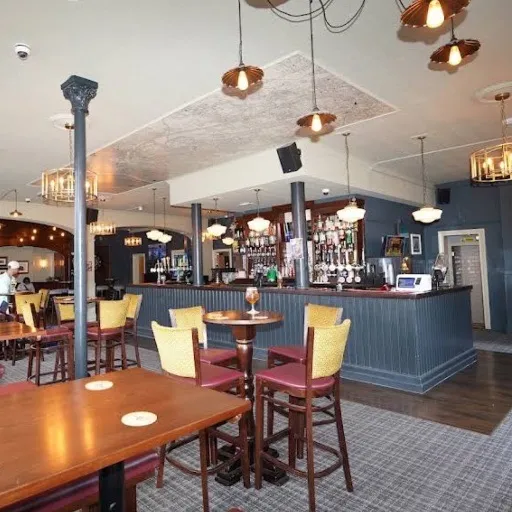
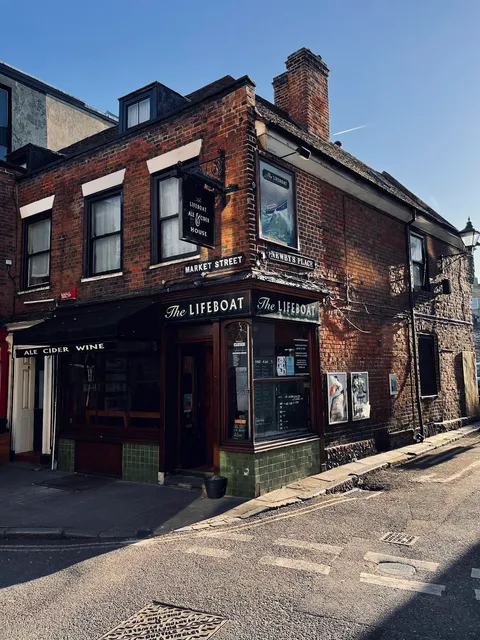
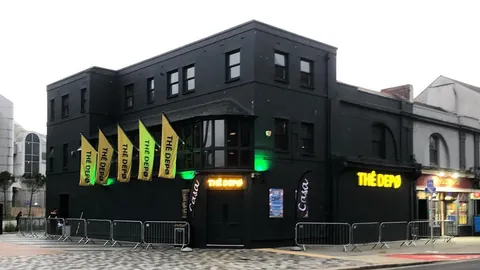
These rooms start their searches from an empty date, and the artists they invite can open the venue’s profile before they say yes, so both sides know who they are dealing with before the booking.


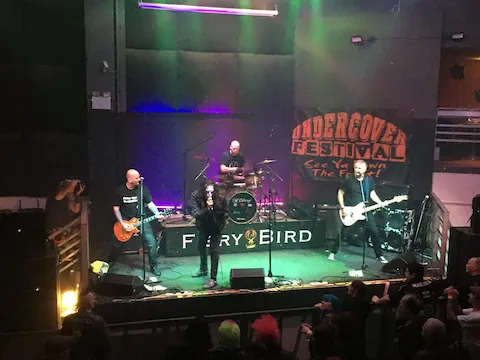


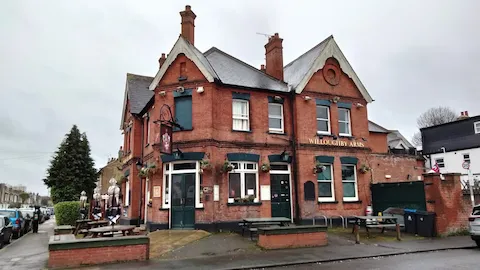


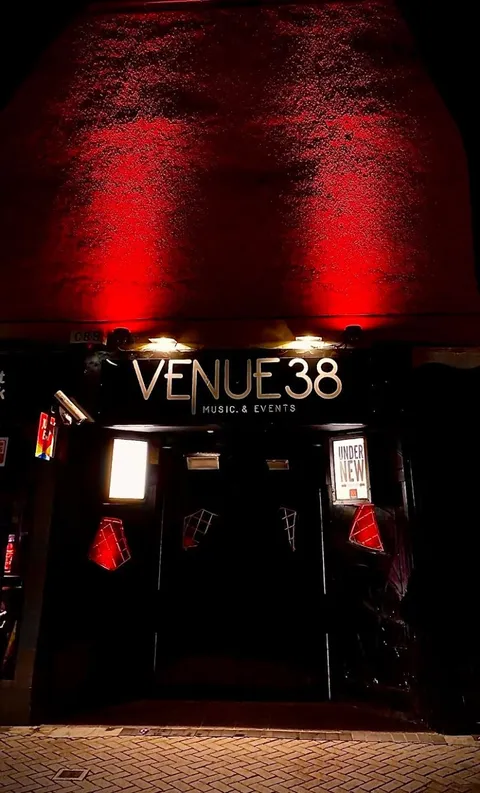

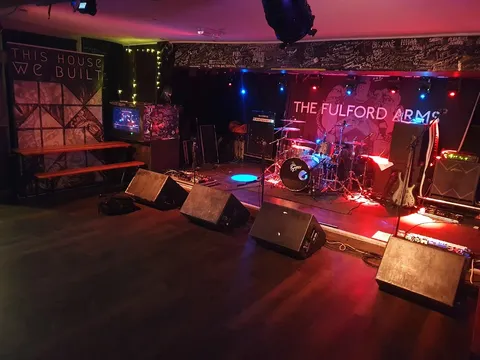




Browse the UK venue directory · GigXchange for venues · Create a free venue profile






More free tools for venues
6 more tools for running a venue, all free with a venue profile, including the Post a Gig, GX Gig Rescue and Licensing Checker. None of them needs a card, a trial or a paid plan, and each one is built around how UK venues book, promote and run live music.
Post a Gig
List an open slot in two minutes and take applications from gig-ready artists — full profiles and verified reviews attached.
GX Gig Rescue
Act dropped out? Broadcast an urgent booking invite to up to 25 available acts — first to accept is booked.
Licensing Checker
Ten questions decode your venue’s music licensing — permission, copyright and cost, with official sources.
Compliance Checklist
Eight questions build your venue’s compliance board — law first, ten areas, every item linked to its official source.
Martyn's Law Readiness
The 2025 Act reaches every 200+ venue from ~2027 — six questions give your tier, your duties and a first-draft procedures PDF.
Events Poster
Your upcoming programme as a live what’s-on page in seven looks — status badges, ticket links and an embed for your own website.
Frequently asked questions
Bookers sending their first invites ask how the matching works, what artists receive, whether the invite can be edited, why sends are capped, how it differs from posting a gig, and what happens if nobody accepts. The answers follow.
Fill Tuesday in the time it takes to read this
Filling Tuesday takes three steps: sign up free, pick the empty date and invite five ranked acts. The invites land as pending bookings in the artists’ GigXchange dashboards, and their replies come back to yours.