Your Profile
How does the availability calendar work?
Go to Profile and open Availability. Click any day to set it to 1 of 4 statuses:
- Available — open for bookings
- Unavailable — not working that day
- Soft Hold — provisionally held, not confirmed
- Booked — already taken
Clicking a day does not open a menu: each click moves that day on to the next status, so keep clicking until it reads the one you want. Days taken by a GigXchange booking are set for you and cannot be clicked.
Use Edit pattern for a recurring schedule, so you are not clicking every Friday individually — it can repeat every week, or on a 1, 2, 3 or 4 week cycle with its own hours per week.
You can also sync with Google Calendar, Outlook or any iCal feed from Settings > Integrations, so your GigXchange availability stays in step with the calendar you already use.
Keeping this current matters: bookers filter by who is free on their date, so an out-of-date calendar means either missed offers or offers you have to turn down.
Want these dates on your own website too? Press Embed on your website on this page - see how do I show my availability on my own website?
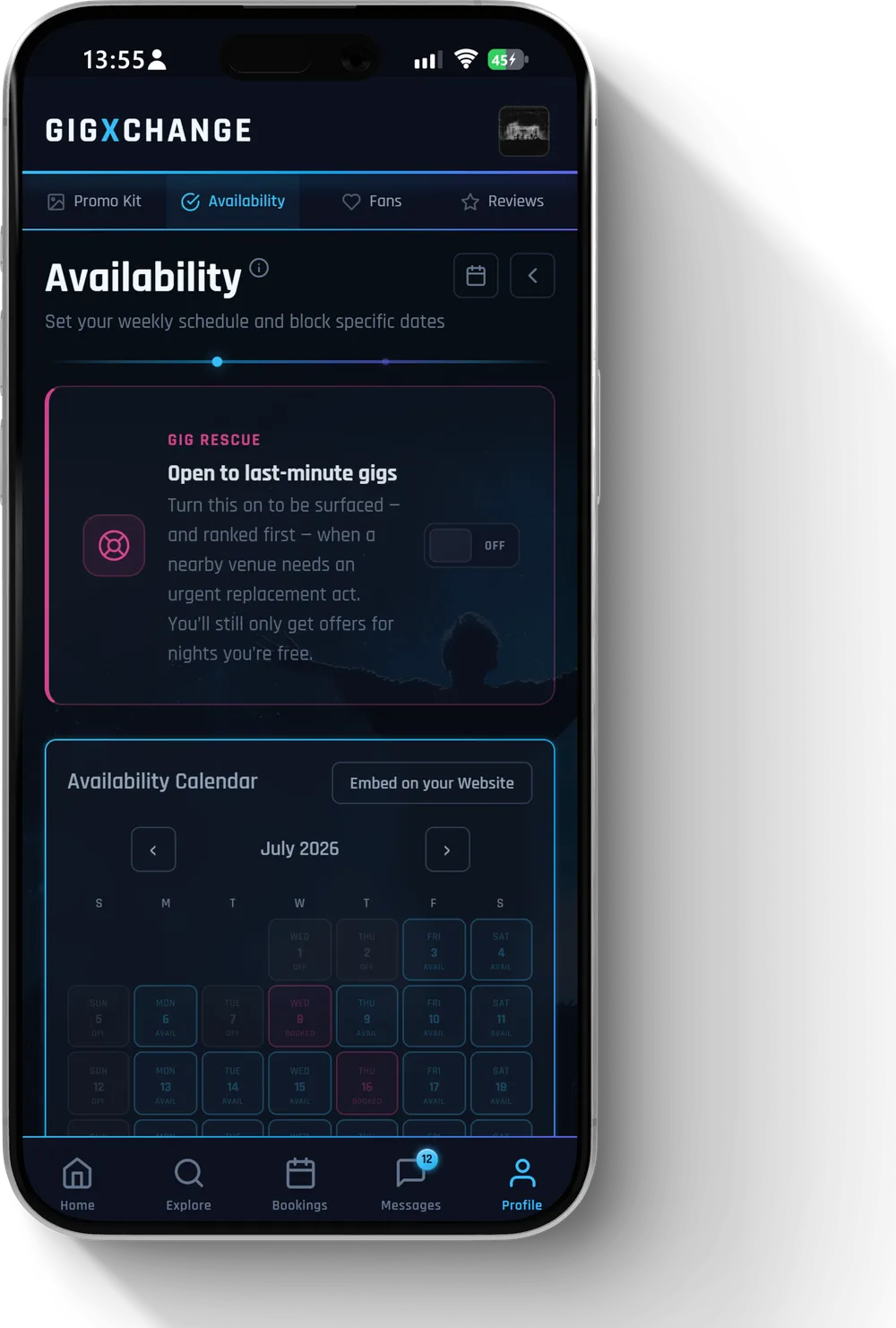 See it in the app The availability calendar — set each day Available, Off, Hold or Booked
 All 23 Your Profile answers · Help Centre · Still stuck? Contact us