Fees & Payments
How do I connect Stripe to get paid?
Go to Settings, open Integrations, and on the Payments tab click Connect Stripe Account — or Resume Stripe Setup if you started before and did not finish.
You will be taken to Stripe's own site to complete onboarding — bank details and identity verification. It takes a few minutes. Once you are back, you are set up to receive payouts.
You only need to do this once. After that, every booking paid through GigXchange pays out to the same account automatically.
Nothing prompts you when a booking arrives. If a booking is paid through GigXchange and you have not connected Stripe, the money simply waits and you are reminded when it is due to be released — so connect early and nothing holds up your first payout.
Stripe handles the money itself and is subject to its own terms; GigXchange never sees your bank details.
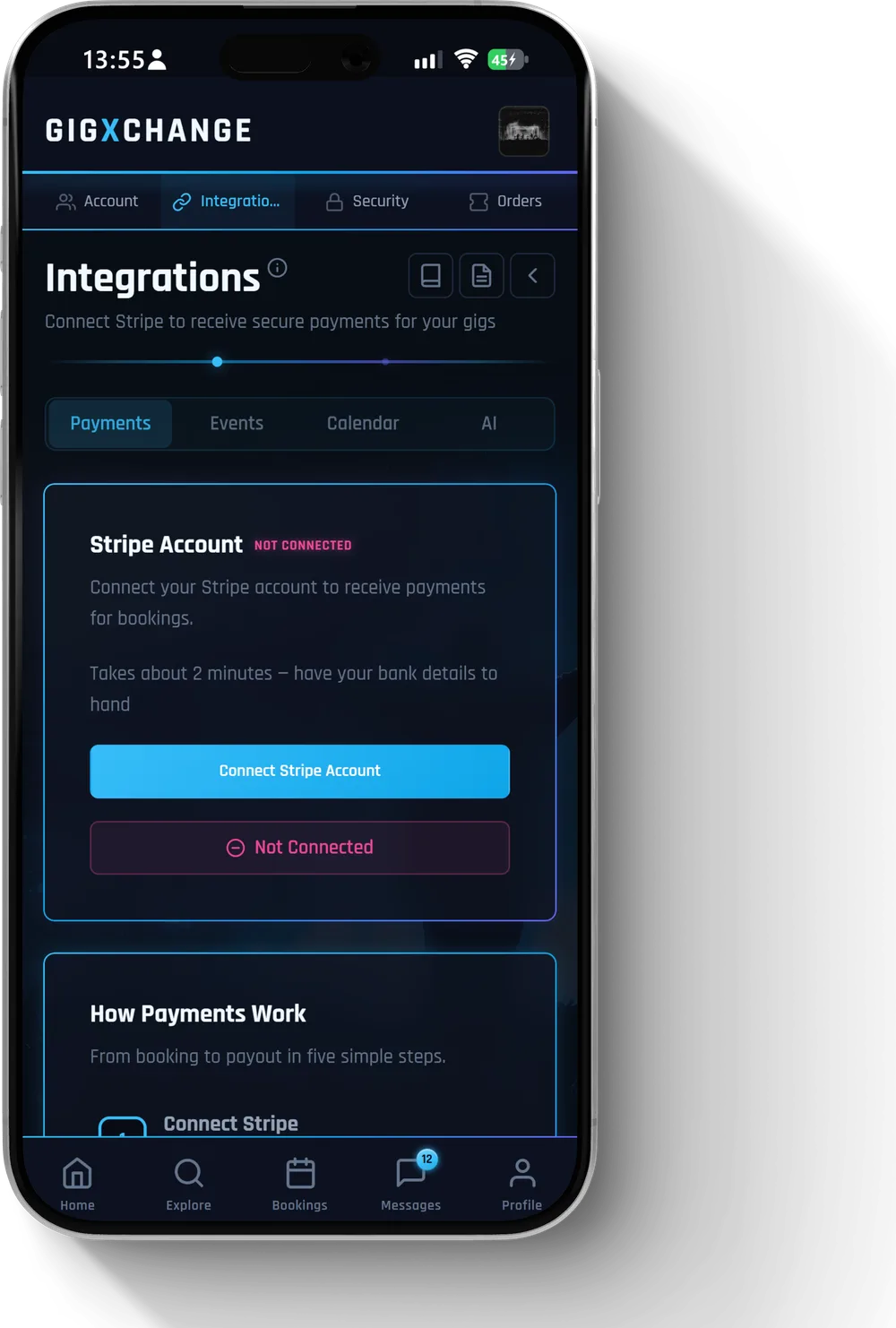 See it in the app Settings > Integrations — where you connect Stripe
 All 9 Fees & Payments answers · Help Centre · Still stuck? Contact us